
|
Do it yourself
| |||
| ||||


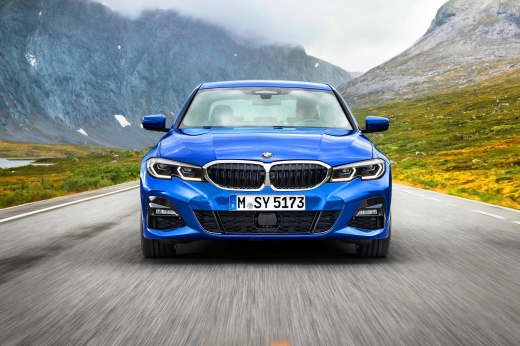
How the Emergency Call Works in the BMW 3 Series
Model: BMW Serie 3
G20
- Years:
2019, 2020, 2021, 2022, 2023, 2024, 2025, 2026
Video tutorial
In today's video, you will see how the emergency call works in the BMW 3 Series. This tutorial also applies to other models from the German manufacturer, as all are now equipped with this safety system as standard. To activate it, press and hold the button located on the ceiling of the vehicle. After a few seconds, it will connect you to the call center, and the car will share important information, such as your location or any serious damages. In the central display menu, you can choose which services to activate or deactivate. As you have seen, this is a simple operation to perform.
Updated on 25 June 2026 by ScegliAuto
Related tutorials
BMW Serie 3
(2012-2019 /
F31, F30)
When the warning message indicating an emergency call error appears on the dashboard of the BMW 3 Series, it means that the TCM battery, also known a…

BMW Serie 3
(2005-2013 /
E92, E91, E90)
Discover in this brief and simple guide how to open the fuel door and cap that are stuck on a BMW 3 Series in case of an emergency. First, open the t…

BMW Serie 3
(2012-2019 /
F31, F30)
This video shows the procedure for replacing the battery in the key fob of the BMW 3 Series F30. The process is very simple, quick, and does not requ…
ScegliAuto offers an extensive international collection of automotive tutorials available in 12 languages. Each guide combines instructional videos with original explanations written by experienced human editors, along with information about the car models covered.
Other guides you may be interested in |
How to Connect Your Mobile Phone to a Fiat Panda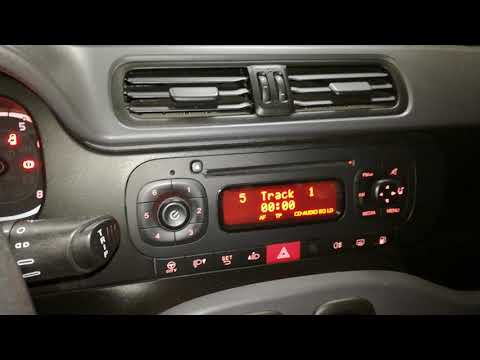
To connect a mobile phone to a Fiat Panda, first obtain a USB cable. Connect one end of the USB cable to the phone and the other end to the USB port in the car located under the gear lever. Once the phone is connected, go to the phone's settings and select the car device. To select the phone from the car radio, press the "media" button until "ex. Device" / "ext. disp." appears, allowing you to access the songs on your phone. The phone can also be connected via Bluetooth by turning it on and selecting the car device. by ScegliAuto More videos
|
|
For advertising on this site Write to info@scegliauto.com
ScegliAuto is not responsible for any inaccuracy of the data in the lists. To report any inaccuracy or your business (if you own the business in question), please write to info@scegliauto.com
Number of seconds to generate the page: 0.010
(c) ScegliAuto 2026 - info@scegliauto.com - Privacy policy - About us VAT number: IT01247470535 |
