
|
Do it yourself
| |||
| ||||


Replacing Clips for Exterior Trim
Model: BMW Serie 3
E46
- Years:
1998, 1999, 2000, 2001, 2002, 2003, 2004, 2005, 2006
Video tutorial
Sometimes you need to replace the exterior trim and along with it, the fastening clips. This can happen for various reasons such as exposure to the elements or minor impacts during maneuvers. If you are fortunate, as shown in the images, you can replace the clips without removing the entire trim. By slightly widening the profile outward, you will try to leverage and first remove the damaged clips, carefully observing their correct orientation. Next, insert the new clip with a drop of oil on the tip, if you wish, to facilitate insertion. Now all that’s left is to reattach the profile to the body. Car model: BMW E46 Series 3 Year: 1998/2007 Required tools: flat screwdriver or wide flat blade tool
Updated on 15 February 2026 by ScegliAuto
Related tutorials
BMW Serie 3
(2012-2019 /
F31, F30)
To remove the window trim on a BMW 3 Series, use a thin object to pry at the bottom of each trim piece. Start at one end and gently work your way to …

BMW Serie 3
(2005-2013 /
E92, E91, E90)
To remove the roof trim on the BMW 3 Series, disassemble all components inside the vehicle that prevent the headliner from being detached: these incl…

BMW Serie 3
(2005-2013 /
E92, E91, E90)
If the covers of the external rearview mirrors are damaged, with cracked paint or small dents, they will need to be repainted. It is advisable to rem…
ScegliAuto offers an extensive international collection of automotive tutorials available in 12 languages. Each guide combines instructional videos with original explanations written by experienced human editors, along with information about the car models covered.
Other guides you may be interested in |
How to Connect Your Mobile Phone to a Fiat Panda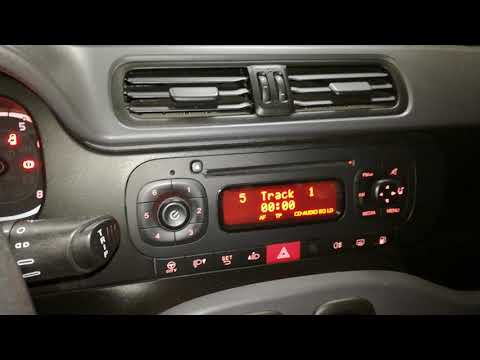
To connect a mobile phone to a Fiat Panda, first obtain a USB cable. Connect one end of the USB cable to the phone and the other end to the USB port in the car located under the gear lever. Once the phone is connected, go to the phone's settings and select the car device. To select the phone from the car radio, press the "media" button until "ex. Device" / "ext. disp." appears, allowing you to access the songs on your phone. The phone can also be connected via Bluetooth by turning it on and selecting the car device. by ScegliAuto More videos
|
|
For advertising on this site Write to info@scegliauto.com
ScegliAuto is not responsible for any inaccuracy of the data in the lists. To report any inaccuracy or your business (if you own the business in question), please write to info@scegliauto.com
Number of seconds to generate the page: 0.023
(c) ScegliAuto 2026 - info@scegliauto.com - Privacy policy - About us VAT number: IT01247470535 |
