
|
Do it yourself
| |||
| ||||


Instructions for Removing the Navigation Display
Model: BMW Z4
E85, E86
- Years:
2002, 2003, 2004, 2005, 2006, 2007, 2008
Video tutorial
To remove the navigation display located in the center of the dashboard, first remove the air vents and then the radio. The air vents are secured with clips that must be released by inserting a small screwdriver at the four corners. Once the vents are removed, unscrew the mounting screws of the radio and pull it out from its slot, disconnecting the relevant connectors, including those for the navigation display. Finally, disengage the trim along the edges of the navigation display and pull it out from its slot.
Updated on 15 February 2026 by ScegliAuto
Related tutorials
BMW Z4
(2002-2008 /
E85, E86)
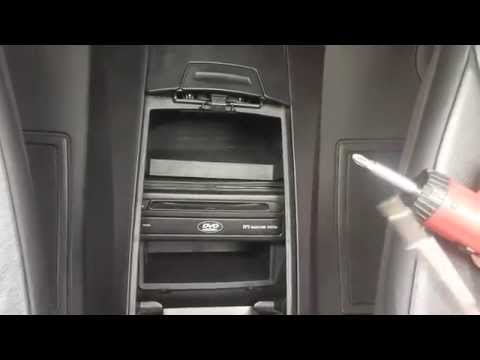
In this video tutorial, you will see the main instructions on how to remove the dashboard of a BMW Z4. First, get inside the car and start by removin…
BMW Z4
(2002-2008 /
E85, E86)
To disassemble the satellite navigation system unit, you first need the appropriate extraction keys: these are two U-shaped steel wire elements with …
BMW Z4
(2002-2008 /
E85, E86)
In today's video, you will see the main steps to remove the front headlight or headlamp assembly on a BMW Z4 E85, following the instructions below. F…
Other guides you may be interested in
|
How to Reset the Tyre Pressure Warning Light on the Jeep Renegade?
To reset the tyre pressure warning light on the Jeep Renegade, inflate the tyres until they reach the recommended pressure: this value is indicated on the sticker attached to the driver’s door pillar. Once the tyres are properly inflated, navigate through the menu that appears on the instrument cluster until you find the tyre pressure option. At this point, press and hold the OK button on the right side of the steering wheel to make the warning light disappear. by ScegliAuto More videos
|
|
For advertising on this site Write to info@scegliauto.com
ScegliAuto is not responsible for any inaccuracy of the data in the lists. To report any inaccuracy or your business (if you own the business in question), please write to info@scegliauto.com
Number of seconds to generate the page: 0.018
(c) ScegliAuto 2026 - info@scegliauto.com - Privacy policy VAT number: IT01247470535 |
