
|
Do it yourself
| |||
| ||||


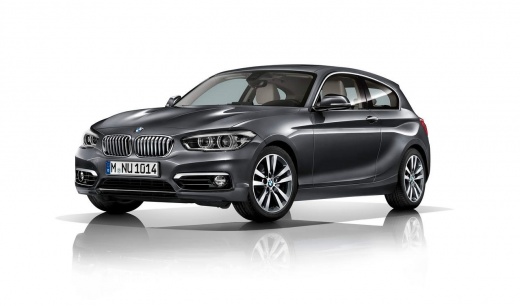
Resetting the Tyre Pressure Warning Light
Model: BMW Serie 1
F21, MK 2, F20
- Years:
2011, 2012, 2013, 2014, 2015, 2016, 2017, 2018, 2019
Video tutorial
Whenever you check the inflation pressure of the tyres, the tyre pressure warning light may illuminate on the dashboard; resetting this light is done manually through the car's onboard computer menu; select the tyre pressure monitoring menu, then select the reset command and confirm. This system constantly monitors the tyre inflation pressure using the speed sensors present on each wheel: if a tyre deflates, there will be a change in the rolling coefficient and thus the speed of the wheel itself, and this change will indicate the deflation.
Updated on 17 February 2026 by ScegliAuto
Related tutorials
BMW Serie 1
(2019-2026 /
MK 3, F40)
Resetting the TPMS light on a BMW Series 1 model F40 is a simple and quick task you can do yourself. To proceed with the reset of the tyre pressure w…

BMW Serie 1
(2004-2013 /
E81, E82, MK 1, E87)
You can clear the tyre pressure warning light in a BMW 1 Series by activating the ignition with the key, allowing you to navigate the menu on the dis…
BMW Serie 1
(2011-2019 /
F21, MK 2, F20)
If you notice the warning light for your tyre pressure coming on despite everything being in order, you need to perform a simple manual reset to reso…
Other guides you may be interested in
|
How to open the boot if it is stuck on a Mercedes B-Class?
On the Mercedes B-Class, the boot may become stuck, possibly due to a problem with the control button or the lock actuator. In this case, perform the emergency opening by following the simple procedure shown in this tutorial. First, unlock the locks with the remote control, then open the rear doors and, by operating the indicated lever, lower the backrest of the seat. Next, go inside the boot, locate the indicated gap, and manually unlock the lock using a small screwdriver. by ScegliAuto More videos
|
|
For advertising on this site Write to info@scegliauto.com
ScegliAuto is not responsible for any inaccuracy of the data in the lists. To report any inaccuracy or your business (if you own the business in question), please write to info@scegliauto.com
Number of seconds to generate the page: 0.034
(c) ScegliAuto 2026 - info@scegliauto.com - Privacy policy VAT number: IT01247470535 |
