
|
Do it yourself
| |||
| ||||


How to Remove the Brake Pad Sensor on a BMW
Model: BMW BMW Various
Video tutorial
In this video, you will learn how to disconnect the brake pad wear warning sensor, which many find annoying as it starts to alert you halfway through the pad's life. Locate the wire that communicates the pad wear, which runs right through the middle of the brake caliper. In the wheel arch, you will find the connector box, so you need to remove the caliper and disconnect the sensor. You will see that one of the two pads has a slot where the sensor is housed. Cut the wires, connect them together using a connector. Reconnect the connector in its place, leave the sensor where it is so the system will not indicate that it is missing, and now the warning light has disappeared.
Updated on 23 July 2026 by ScegliAuto
Related tutorials
BMW BMW Various
If your BMW engine is experiencing power issues and excessive fuel consumption, the cause may be a dirty MAF sensor that is not communicating properl…

BMW BMW Various
If the error "CC ID 71" has appeared in the instrument cluster of our BMW, it means that one of the wear sensors for the rear brake pads is faulty an…
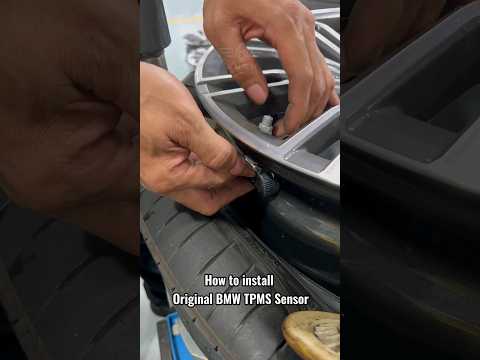
BMW BMW Various
In this video we can see how to install the tire pressure sensor on a BMW car: to tell the truth, this method is valid for all cars, so it is applica…
Other guides you may be interested in |
How to lower the rear seats in the Peugeot 206?
In this tutorial, you will see how to lower the rear seats in the Peugeot 206, a very simple and quick operation, for example, if you need more space in the boot. First, open both the doors and the tailgate, then unclip the seat base and position it vertically. Next, remove the horizontal partition, locate the release levers at the ends of both seatbacks, and, by operating them, lower the seatbacks. To reassemble everything, simply follow the reverse procedure. by ScegliAuto More videos
|
|
For advertising on this site Write to info@scegliauto.com
ScegliAuto is not responsible for any inaccuracy of the data in the lists. To report any inaccuracy or your business (if you own the business in question), please write to info@scegliauto.com
Number of seconds to generate the page: 0.014
(c) ScegliAuto 2026 - info@scegliauto.com - Privacy policy VAT number: IT01247470535 |
