
|
Do it yourself
| |||
| ||||


What does the error "CC ID 71" indicate in a BMW and how can it be removed?
Model: BMW BMW Various
Video tutorial
If the error "CC ID 71" has appeared in the instrument cluster of our BMW, it means that one of the wear sensors for the rear brake pads is faulty and will need to be replaced. This is a very simple operation; let's see how to proceed in this tutorial. First, lift the side we will be working on with a jack, then remove the wheel and extract the sensor from its housing. Next, detach the cable from the respective supports, disconnect the power connector, and install the replacement by following the reverse procedure.
Posted on 19 January 2026 by ScegliAuto
Related tutorials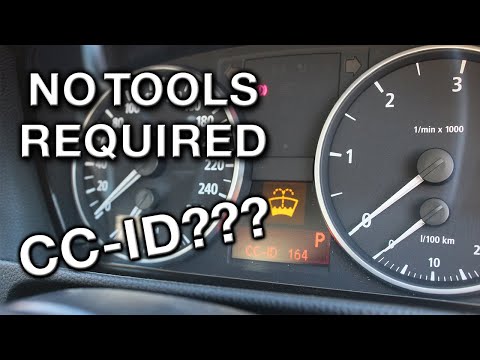
BMW BMW Various
Accessing the CC-ID codes on a BMW can provide further information about the vehicle's condition by determining the specific type of problem encounte…

BMW BMW Various
In this video, we can see how to check errors on a BMW: we turn on the ignition, and on the instrument panel we see some warning lights come on. By p…

BMW BMW Various
The message "emergency call error" on a BMW vehicle appears for three main reasons: battery reached end of life, malfunctioning telematics control un…
Other guides you may be interested in
|
How to Set the Clock on a Renault Master 3
This guide shows you how to set a new time on a Renault Master 3. Start by turning on the instrument cluster of the vehicle without starting the engine. Next, using the end of the right-hand steering column stalk, scroll through the options on the display until you reach 'set time', then press the down arrow button to make the displayed time blink. Once this is done, press and hold the down arrow button to change the hour, which you can adjust using the two arrow buttons at the end of the stalk. Once the correct hour is set, press and hold the down arrow button again to move to the minutes. After setting the correct time, restart the vehicle. by ScegliAuto More videos
|
|
For advertising on this site Write to info@scegliauto.com
ScegliAuto is not responsible for any inaccuracy of the data in the lists. To report any inaccuracy or your business (if you own the business in question), please write to info@scegliauto.com
Number of seconds to generate the page: 0.036
(c) ScegliAuto 2026 - info@scegliauto.com - Privacy policy VAT number: IT01247470535 |
