
|
Do it yourself
| |||
| ||||


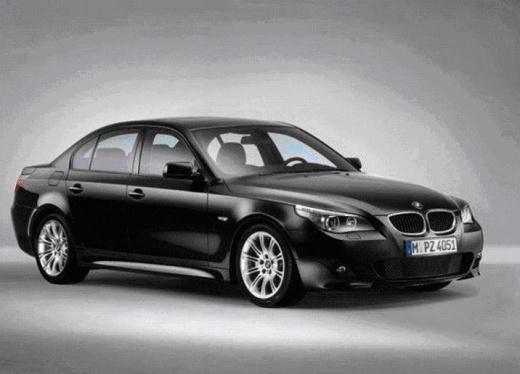
How to Replace the Engine Coolant
Model: BMW Serie 5
E60, E61
- Years:
2003, 2004, 2005, 2006, 2007, 2008, 2009, 2010
Video tutorial
Maintaining your vehicle is an aspect that should not be overlooked to keep it running efficiently. Among the maintenance tasks, consider replacing the coolant, which plays a crucial role in preventing excessive heat produced by the engine that can overheat various components of the car. Once you open the hood, remove the cap from the expansion tank to speed up the draining of the old fluid and the drain plug located at the bottom of the radiator. Place a container underneath to collect the old fluid. Once the system is completely drained, screw the drain plug back in, open the bleed valve, and pour the coolant into the radiator from the expansion tank.
Updated on 20 February 2026 by ScegliAuto
Related tutorials
BMW Serie 5
(2010-2017 /
F11, F10)
Do you want to top off the coolant in your car? Let's see how to open the cap of the coolant reservoir on a BMW 5. Lift the hood, then locate the cap…

BMW Serie 5
(2003-2010 /
E60, E61)
If a leak in the engine cooling system has caused a drop in the coolant level, you must act immediately. For restoration, you need specific equipment…

BMW Serie 5
(1995-2003 /
E39)
To replace the coolant with antifreeze, follow these steps. At the lower right corner of the radiator (facing the engine bay), you will find the drai…
Other guides you may be interested in
|
How to Reset the Tyre Pressure Warning Light on the Jeep Renegade?
To reset the tyre pressure warning light on the Jeep Renegade, inflate the tyres until they reach the recommended pressure: this value is indicated on the sticker attached to the driver’s door pillar. Once the tyres are properly inflated, navigate through the menu that appears on the instrument cluster until you find the tyre pressure option. At this point, press and hold the OK button on the right side of the steering wheel to make the warning light disappear. by ScegliAuto More videos
|
|
For advertising on this site Write to info@scegliauto.com
ScegliAuto is not responsible for any inaccuracy of the data in the lists. To report any inaccuracy or your business (if you own the business in question), please write to info@scegliauto.com
Number of seconds to generate the page: 0.024
(c) ScegliAuto 2026 - info@scegliauto.com - Privacy policy VAT number: IT01247470535 |
