
|
Do it yourself
| |||
| ||||


Emergency Call Message Not Available in BMW: What to Do
Model: BMW BMW Various
Video tutorial
In this video, see what to do if the message appears on the instrument cluster of your BMW indicating that the emergency call is not available: you will need to change the battery for the emergency system. You can find the battery pack, for example on Amazon, with the code B0BYDB7531 at a price of £26.08, with free delivery for Prime customers. The battery pack is located inside a box at the rear of the cabin. Inside, you will find a white box containing the system battery; simply open it using a small screwdriver and replace it. Ensure that the pins of the imperial are in place, as we had to lower them a bit to work on the battery, and then replace the cover.
Updated on 10 September 2026 by ScegliAuto
Related tutorials
BMW BMW Various
In this video we can see what to do if we are unable to reset the brake pad warning light on a BMW car: the door must be closed or manually locked, a…

BMW BMW Various
Fog lights are used when necessary, in the absence of lighting on poorly visible roads. Today we will explain how to turn off the front fog lights of…
BMW BMW Various
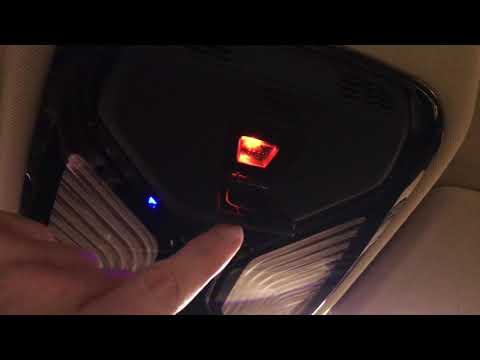
Learn how to use the SOS button in BMW cars: the button is located in the central overhead console and is protected by a cover to prevent accidental …
Other guides you may be interested in
|
How to Remove the Toll Tag Holder from the Car Windscreen
The toll tag holder is usually attached to the car windscreen to ensure that the toll tag functions immediately when passing through barriers. However, if you decide to remove the holder, you should follow this procedure: - Insert the toll tag into the holder; - Pull the holder inwards to detach it from the windscreen; you can use a glass scraper or a stiff plastic card to assist you; After removing the holder, it is essential to remove the adhesive from the windscreen. To remove the adhesive, we recommend using a solvent-based spray that will remove the glue without clouding the area. by ScegliAuto More videos
|
|
For advertising on this site Write to info@scegliauto.com
ScegliAuto is not responsible for any inaccuracy of the data in the lists. To report any inaccuracy or your business (if you own the business in question), please write to info@scegliauto.com
Number of seconds to generate the page: 0.057
(c) ScegliAuto 2026 - info@scegliauto.com - Privacy policy VAT number: IT01247470535 |
