
|
Do it yourself
| |||
| ||||


How to Code the Battery of a BMW
Model: BMW BMW Various
Let's see how to code the battery of a BMW vehicle: this is a necessary operation because the intelligent charging system of BMW adapts to the battery, maximising performance and lifespan, preventing damage from over and undercharging: it is therefore essential after every replacement. You can perform this operation using Bimmercode, an application for smartphones that connects to the EOBD socket via an OBD tool; start the car, open the app on your phone, connect to the vehicle, select the model of your BMW, go to the "control Units" section, search for "battery registration", enter the battery menu and input the type of battery (AGM/EFB etc.) and the capacity. If required, the brand. Confirm the data, start the procedure, and wait for completion.
Posted on 11 May 2026 by ScegliAuto
Video tutorial
Related tutorials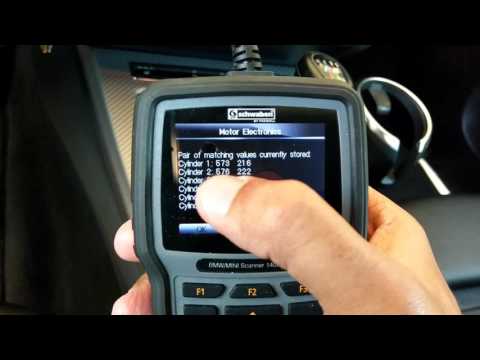
BMW BMW Various
In this video, we will see the main instructions for coding the injectors on a BMW N54, 3000cc turbo petrol engine. First, you need to have a scanner…

BMW BMW Various
If you want to replace the battery on this model of motorcycle, the description below summarises all the steps and useful information for carrying ou…

BMW BMW Various
On some models in the BMW range, the remote controls have a rechargeable battery; this is a real attention to the environment, and we see how to rech…
Other guides you may be interested in
|
How to Open the Bonnet on the Lancia Y
To open the bonnet on this vehicle, follow these simple instructions: first, open the driver's door and locate the lever positioned just below the dashboard, marked with an image of the vehicle with the bonnet open. Pull this lever towards you until you hear a "click" indicating the bonnet is released. Next, exit the cabin and stand in front of the bonnet to disengage the safety catch and complete the opening. To do this, slightly lift the bonnet, locate the yellow lever underneath, and pull it to the left to fully release and open the bonnet. by ScegliAuto More videos
|
|
For advertising on this site Write to info@scegliauto.com
ScegliAuto is not responsible for any inaccuracy of the data in the lists. To report any inaccuracy or your business (if you own the business in question), please write to info@scegliauto.com
Number of seconds to generate the page: 0.087
(c) ScegliAuto 2026 - info@scegliauto.com - Privacy policy VAT number: IT01247470535 |
