
|
Do it yourself
| |||
| ||||


Video tutorial
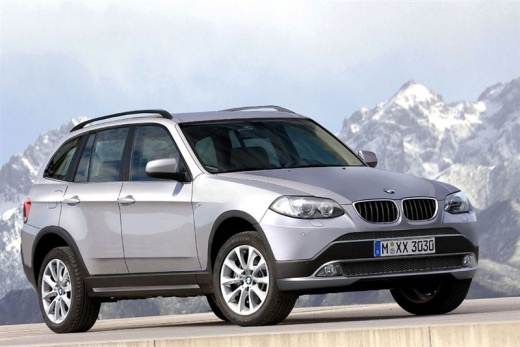
The battery of the BMW X3 and X4 has a unique feature: its location. We are used to seeing a vehicle's battery placed inside the engine compartment, near the fuse box or air intake, but in this case, it is not so, as the battery of the X3 and X4 is located inside the trunk. To access the battery if needed, open the rear hood, remove the trunk cover to access the first compartment, unscrew the two screws at the end, and remove the battery cover. This way, you will be able to work on it.
Updated on 11 September 2026 by ScegliAuto
Related tutorials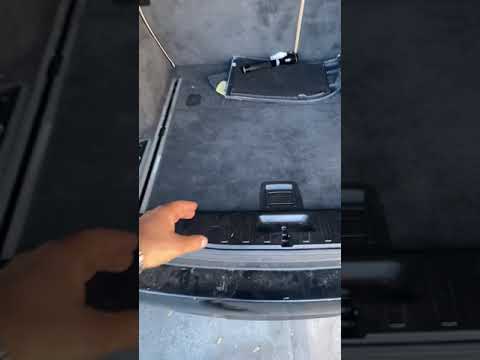
BMW X3
(2010-2017 /
MK 2, F25)
The battery in the BMW X3 is located, unlike other models, inside the trunk. Specifically, the battery is under the cover of the spare tire kit compa…

BMW X3
(2010-2017 /
MK 2, F25)
Today we will show you the location of the fuse boxes on a BMW X3, model F 25 produced from 2011 to 2017. Inside the BMW X3 there are two fuse boxes.…

BMW X3
(2017-2024 /
MK 3, G01)
If you don't know where the fuse box is located inside the cabin of your 2022 BMW X3, don't worry because this guide will help you find it easily. Fi…
Other guides you may be interested in
|
How to open the boot if it is stuck on a Mercedes B-Class?
On the Mercedes B-Class, the boot may become stuck, possibly due to a problem with the control button or the lock actuator. In this case, perform the emergency opening by following the simple procedure shown in this tutorial. First, unlock the locks with the remote control, then open the rear doors and, by operating the indicated lever, lower the backrest of the seat. Next, go inside the boot, locate the indicated gap, and manually unlock the lock using a small screwdriver. by ScegliAuto More videos
|
|
For advertising on this site Write to info@scegliauto.com
ScegliAuto is not responsible for any inaccuracy of the data in the lists. To report any inaccuracy or your business (if you own the business in question), please write to info@scegliauto.com
Number of seconds to generate the page: 0.142
(c) ScegliAuto 2026 - info@scegliauto.com - Privacy policy VAT number: IT01247470535 |
