
|
Do it yourself
| |||
| ||||



Replacing the Dashboard Touch Screen
Model: BMW Serie 4
F33, F36, F32, MK 1
- Years:
2013, 2014, 2015, 2016, 2017, 2018, 2019, 2020
Video tutorial
Remove the panel where the air vents are located by pulling it outward, using leverage on the edges, and disconnecting the plugs. Next, remove the bolts above the air vents, allowing you to lift the screen upward. Be careful to disconnect the plug at the back. Now, install the new screen and the device that enables the additional GPS function. Follow the steps described above in reverse to reassemble all remaining components.
Updated on 23 February 2026 by ScegliAuto
Related tutorials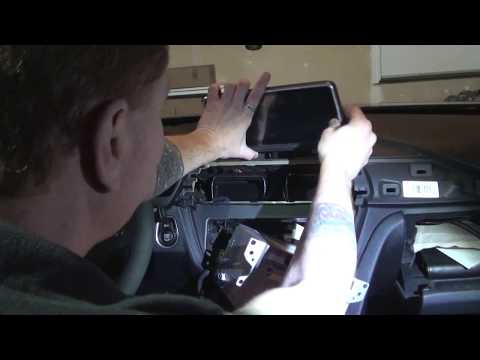
BMW Serie 4
(2013-2020 /
F33, F36, F32, MK 1)
Today, I will explain how to replace your entertainment module or NAVI system with a latest-generation unit. Gather all necessary tools, a set of pla…
BMW Serie 4
(2013-2020 /
F33, F36, F32, MK 1)
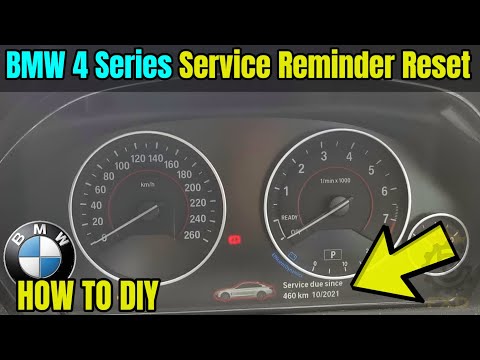
If the dashboard of your BMW 4 Series shows a light depicting a car raised on a lift, it means it's time for a service as the interval has been reach…

BMW Serie 4
(2013-2020 /
F33, F36, F32, MK 1)
Remove the dashboard of the BMW 4 Series to replace the car radio. Remove the upper trim plastic of the dashboard (using a plastic trim tool) to acce…
Other guides you may be interested in
|
How to open the fuel flap of the Toyota Aygo?
The fuel flap of the Toyota Aygo can be opened by pulling the dedicated button located on the dashboard, on the left side of the steering column: this button should now be pulled upwards. This will unlock the mechanism that allows the flap to close, making it possible to open the fuel flap. You can then unscrew the cap underneath and refuel: after refuelling, reposition the cap and close the flap again. by ScegliAuto More videos
|
|
For advertising on this site Write to info@scegliauto.com
ScegliAuto is not responsible for any inaccuracy of the data in the lists. To report any inaccuracy or your business (if you own the business in question), please write to info@scegliauto.com
Number of seconds to generate the page: 0.030
(c) ScegliAuto 2026 - info@scegliauto.com - Privacy policy VAT number: IT01247470535 |
