
|
Do it yourself
| |||
| ||||



Removing the Car Radio from BMW 4 Series
Model: BMW Serie 4
F33, F36, F32, MK 1
- Years:
2013, 2014, 2015, 2016, 2017, 2018, 2019, 2020
Video tutorial
Remove the dashboard of the BMW 4 Series to replace the car radio. Remove the upper trim plastic of the dashboard (using a plastic trim tool) to access the radio (where the air vents are located); disconnect it from the center console. Remove the plastic below the radio. Once the stereo is free, use a screwdriver to remove the screws on its sides. Pull the stereo out with your hands and disconnect the cables (power and antenna). To install, reverse the disassembly steps. Test the car radio and reinstall all the trim pieces.
Updated on 17 March 2026 by ScegliAuto
Related tutorials
BMW Serie 4
(2013-2020 /
F33, F36, F32, MK 1)
These short and simple steps will allow us to disassemble and replace the windshield washer pump of the BMW 4 Series. First, we lift the car and star…

BMW Serie 4
(2020-2026 /
G22, G23, G26, MK 2)
If you own a 2022 BMW 4 Series and want to find the OBD port located inside the cabin, all you have to do is read the following guide and follow all …
BMW Serie 4
(2013-2020 /
F33, F36, F32, MK 1)
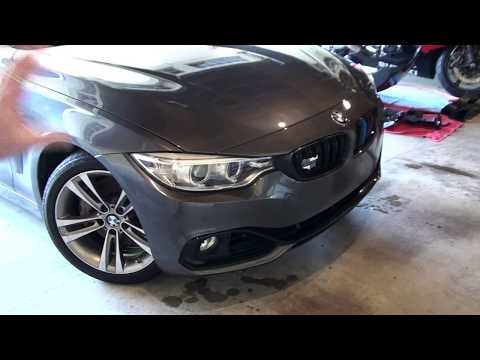
Hello, in this video you will see how to remove the front bumper from the beautiful BMW 4 Series. It is quite a complex procedure. First, it is advis…
Other guides you may be interested in
|
How to lower the rear seats in the Peugeot 206?
In this tutorial, you will see how to lower the rear seats in the Peugeot 206, a very simple and quick operation, for example, if you need more space in the boot. First, open both the doors and the tailgate, then unclip the seat base and position it vertically. Next, remove the horizontal partition, locate the release levers at the ends of both seatbacks, and, by operating them, lower the seatbacks. To reassemble everything, simply follow the reverse procedure. by ScegliAuto More videos
|
|
For advertising on this site Write to info@scegliauto.com
ScegliAuto is not responsible for any inaccuracy of the data in the lists. To report any inaccuracy or your business (if you own the business in question), please write to info@scegliauto.com
Number of seconds to generate the page: 0.067
(c) ScegliAuto 2026 - info@scegliauto.com - Privacy policy VAT number: IT01247470535 |
