
|
Do it yourself
| |||
| ||||


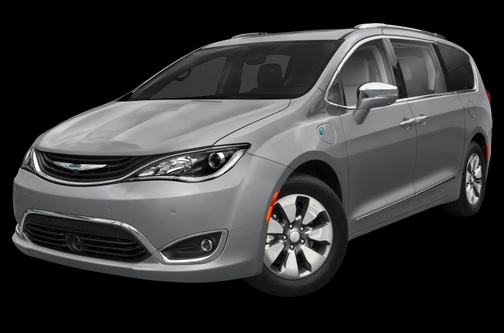
How to replace the rear headlight bulb of the Chrysler Pacifica
Model: Chrysler Pacifica
MK 1
- Years:
2017, 2018, 2019, 2020, 2021, 2022, 2023, 2024
Video tutorial
In the following guide, we will describe all the steps you need to take in order to replace the rear headlight bulb of your second-generation Chrysler Pacifica. First of all, lift the front hood and use a Torx T20 key to unscrew all the screws holding the headlight in place. Once you have done this, gently pull the entire headlight towards you and remove the bulb holder with your own hands. Finally, replace the faulty bulb with a new one and reassemble the headlight correctly. At this point, the procedure is successfully completed.
Posted on 20 January 2025 by ScegliAuto
Related tutorials
Chrysler Pacifica
(2017-2024 /
MK 1)
If you want to find the box that contains all the various fuses for your Chrysler Pacifica, simply follow this procedure. First, park the vehicle on …

Chrysler Pacifica
(2017-2024 /
MK 1)
Removing the headrest from the rear seats of a 2019 Chrysler Pacifica is a simple and quick task you can do yourself. To remove the headrest, get ins…

Chrysler Pacifica
(2017-2024 /
MK 1)
If your Chrysler Pacifica key is no longer working due to a completely dead battery, read the following guide carefully and follow the steps one by o…
Other guides you may be interested in
|
How to Reset the Tyre Pressure Warning Light on a Kia Rio?
The tyre pressure warning light displayed on the instrument cluster of the Kia Rio can be reset by inflating the tyres until they reach the recommended pressure value: this value is indicated on the sticker affixed to the driver's door pillar. Once all tyres have been inflated to the recommended pressure, turn on the ignition to check that the light has disappeared: if it is still present, it may be necessary to drive for a few miles, allowing the sensors to work and thus turning off the light. by ScegliAuto More videos
|
|
For advertising on this site Write to info@scegliauto.com
ScegliAuto is not responsible for any inaccuracy of the data in the lists. To report any inaccuracy or your business (if you own the business in question), please write to info@scegliauto.com
Number of seconds to generate the page: 0.147
(c) ScegliAuto 2026 - info@scegliauto.com - Privacy policy VAT number: IT01247470535 |
