
|
Do it yourself
| |||
| ||||



Removing the Thermostat Valve from a Chrysler PT Cruiser
Model: Chrysler Pt Cruiser
MK 1
- Years:
2000, 2001, 2002, 2003, 2004, 2005, 2006, 2007, 2008, 2009, 2010
Video tutorial
Learn how to remove the thermostat valve from the engine bay of the PT Cruiser. Lift the front bonnet and locate the hose to be removed on the left. Unscrew the bolts of the thermostat hose as shown in the video and (use a socket wrench with the appropriate sockets) pull out the sealing cap from the housing and extract the thermostat. Fit the new part into the designated housing and close it with the hose cap. Tighten the bolts securely and you're done. Start the engine and check the operation of the thermostat valve. Top up the coolant reservoir.
Updated on 12 April 2026 by ScegliAuto
Related tutorials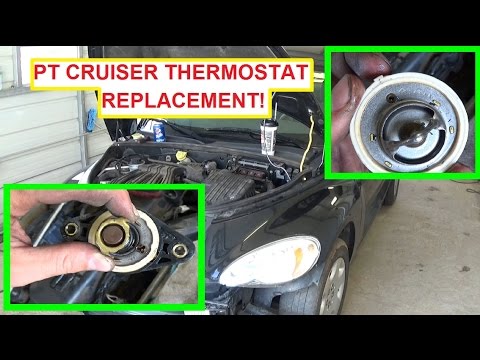
Chrysler Pt Cruiser
(2000-2010 /
MK 1)
The thermostat valve activates when the coolant temperature in the engine exceeds 90°C and opens to exchange this liquid with the cooled liquid in th…

Chrysler Pt Cruiser
(2000-2010 /
MK 1)
In this video tutorial, you will see the main steps to remove the water pump from a Chrysler PT Cruiser. Start by removing the front right wheel and …

Chrysler Pt Cruiser
(2000-2010 /
MK 1)
The smart key for your Chrysler PT Cruiser has a very minimalist and simple external and internal structure. This greatly facilitates its disassembly…
Other guides you may be interested in
|
How to Open the Bonnet on the Mitsubishi L200?
In this tutorial, you will see how to open the bonnet on the Mitsubishi L200, a very simple operation that follows the standard procedure. First, open the vehicle and go to the driver's side, then locate the lever at the lower outer area, just in front of the pedals, and pull it. Next, position yourself in front of the bonnet, locate the second lever above the Mitsubishi logo, and push it to the right, releasing the latch. At this point, you can fully lift the bonnet and secure it with the prop rod. by ScegliAuto More videos
|
|
For advertising on this site Write to info@scegliauto.com
ScegliAuto is not responsible for any inaccuracy of the data in the lists. To report any inaccuracy or your business (if you own the business in question), please write to info@scegliauto.com
Number of seconds to generate the page: 0.201
(c) ScegliAuto 2026 - info@scegliauto.com - Privacy policy VAT number: IT01247470535 |
