
|
Do it yourself
| |||
| ||||


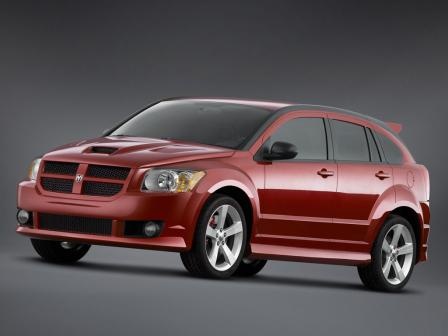
Front Headlamp Bulb Replacement
Model: Dodge Caliber
MK 1
- Years:
2006, 2007, 2008, 2009, 2010, 2011, 2012
Video tutorial
To replace the front headlamp bulb (H13 fitting), open the bonnet and remove the plastic cover from the battery compartment. Disconnect one battery terminal and locate the bulb holder behind the headlamp. Rotate the bulb holder anti-clockwise by about 30 degrees to release it from its seat, then remove the securing clip from the power connector and disconnect it. Fit the new bulb, taking care not to touch the glass envelope with your hands, and secure the bulb holder back into the headlamp ensuring a perfect fit. Ensure the bulb lights up correctly.
Updated on 17 February 2026 by ScegliAuto
Related tutorials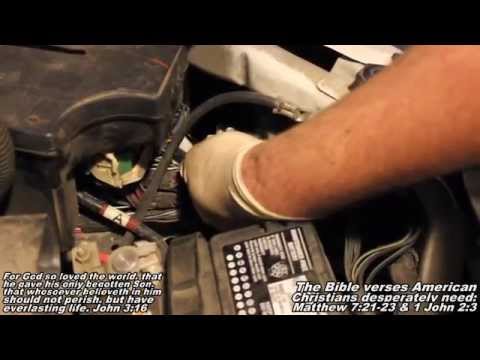
Dodge Caliber
(2006-2012 /
MK 1)
To access the bulb holder of the left front headlamp (driver's side), first remove the plastic cover above the battery compartment; then, disconnect …
Dodge Caliber
(2006-2012 /
MK 1)
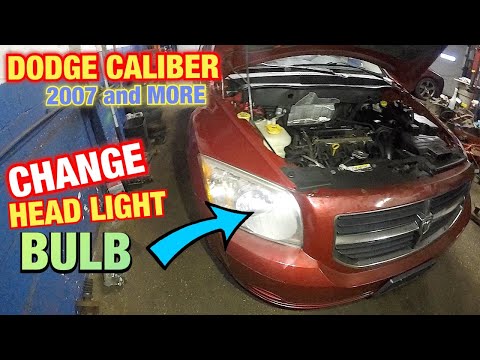
This guide briefly outlines the steps to remove and replace the front headlamp bulb on a Dodge Caliber. First, open the bonnet of the vehicle and sta…
Dodge Caliber
(2006-2012 /
MK 1)
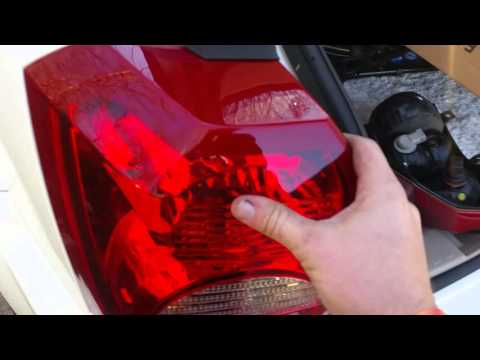
Replace the rear light bulbs on a Dodge Caliber. In this video, see how to remove the light unit. Open the boot lid, unscrew the securing screws loca…
Other guides you may be interested in
|
How to Activate the Automatic Folding and Unfolding of the Wing Mirrors on the Jeep Compass
Follow these brief instructions to activate the automatic folding and unfolding of the external wing mirrors on the Jeep Compass. First, get inside the vehicle and turn on the ignition; then press the button located beneath the mirror glass adjustment to electrically open the mirror, as shown in the video. Pressing the button in the opposite direction will close the mirrors; by holding the button, the mirrors will open and close automatically! by ScegliAuto More videos
|
|
For advertising on this site Write to info@scegliauto.com
ScegliAuto is not responsible for any inaccuracy of the data in the lists. To report any inaccuracy or your business (if you own the business in question), please write to info@scegliauto.com
Number of seconds to generate the page: 0.081
(c) ScegliAuto 2026 - info@scegliauto.com - Privacy policy VAT number: IT01247470535 |
