
|
Do it yourself
| |||
| ||||


Fiat Freemont - Onboard computerOnboard Computer Fiat Freemont (2011-2016 / mk 1) Fiat Freemont (2011-2016 / MK 1)
How to activate and deactivate the parking sensors on the Fiat Freemont Activating and deactivating the parking sensors on a Fiat Freemont vehicle follows very simple and quick steps to be carried out independently. To perform the …Read all… Posted on 23 September 2024 by ScegliAuto  Fiat Freemont (2011-2016 / MK 1)
How to update Uconnect on a Fiat Freemont vehicle Updating Uconnect on a Fiat Freemont vehicle is a fairly simple and quick operation to be carried out independently. Let's start by going to the Fiat website …Read all… Posted on 1 August 2024 by ScegliAuto 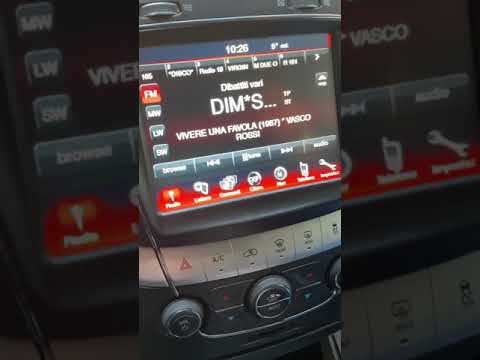 Fiat Freemont (2011-2016 / MK 1)
How to Switch from Miles to Kilometres on the Fiat Freemont Dashboard In this video, you will learn how to switch from miles to kilometres on the dashboard of the Fiat Freemont. This is a very simple operation. From the onboard …Read all… Posted on 13 July 2026 by ScegliAuto 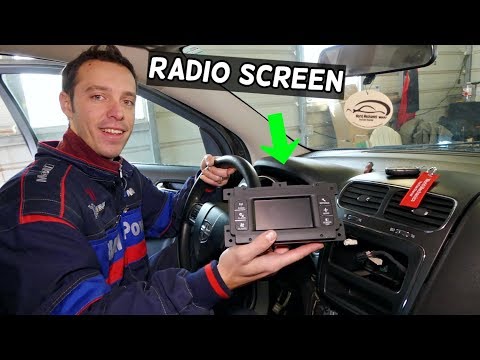 Fiat Freemont (2011-2016 / MK 1)
Replacing the onboard computer on a Fiat Freemont Using a plastic wedge, remove the grey plastic trim above the glove compartment that extends to the buttons below the onboard computer. Similarly, remove the …Read all… Posted on 12 May 2026 by ScegliAuto Cigarette lighter (1) Airbag (1) Car stereo (7) Battery (7) Air vents (1) Transmission (2) Spark plugs (1) Key (11) Trunk lock (1) Timing belt (1) Air conditioner (1) A/C controls (1) Onboard computer (4) Checks and maintenance (3) Dashboard (1) MAF sensor (1) Brake rotors (1) Tail light (2) Fog lights (2) Air filter (1) Cabin air filter (3) Diesel fuel filter (2) Grille (1) Headlight bulb (5) Instrument panel light (2) Engine (1) Transmission fluid (1) Engine oil (1) Clock (3) Door trim panel (1) Rear bumper (1) Brake pads (3) Shift knob (1) Pump (1) Car door (1) Push button (1) Fuse box (5) Seat (4) Door lock (1) Side mirror (1) Warning light – error code (5) (2) Tire pressure warning light (2) Service warning light (12) |
How to reset the tyre pressure warning light on the Citroën DS4?
The tyre pressure warning light on the Citroën DS4 can be reset by inflating the tyres until they reach the corresponding pressure value, which is indicated on the sticker attached to the driver's door pillar. Once all tyres are at this value, turn on the ignition by inserting the key into the ignition switch; this should make the warning light disappear from the dashboard. If it does not reset, start the engine and drive to allow the sensors to read the new values. by ScegliAuto More videos
|
|
For advertising on this site Write to info@scegliauto.com
ScegliAuto is not responsible for any inaccuracy of the data in the lists. To report any inaccuracy or your business (if you own the business in question), please write to info@scegliauto.com
Number of seconds to generate the page: 0.005
(c) ScegliAuto 2026 - info@scegliauto.com - Privacy policy VAT number: IT01247470535 |
