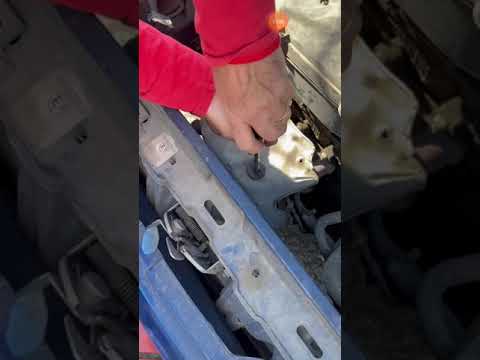
Fiat Punto - Oxygen sensor
Oxygen Sensor Fiat Punto (1999-2011 / mk 2, 188)
Oxygen Sensor Fiat Punto (1993-1999 / mk 1, 176)
Accelerator (1)
Cigarette lighter (4)
Airbag (17)
Alternator (8)
Speaker (12)
Shocks (19)
Antenna (9)
Air conditioning (5)
Car stereo (59)
Anti-roll bar (2)
Roof rack bars (5)
Battery (27)
Ignition coil (2)
Air vents (6)
Control arm (11)
Transmission (14)
Spark plugs (28)
Glow plugs (11)
Carburetor (1)
Body (21)
Glove compartment (7)
Control unit (9)
Key (35)
Timing belt (38)
V-belt (6)
Air conditioner (1)
A/C controls (7)
Onboard computer (7)
Checks and maintenance (87)
Oil pan (5)
Throttle body (9)
Dashboard (19)
Shifter boot (2)
CV boot (3)
Bearing (6)
Brake rotors (11)
Electric cooling fan (1)
Side marker light (2)
Headlight (32)
Tail light (31)
Fog lights (12)
Diesel particulate filter (2)
Air filter (43)
Cabin air filter (41)
Fuel filter (5)
Diesel fuel filter (29)
Oil filter (14)
Parking brake (11)
Clutch (15)
Grille (2)
Fuel injectors (9)
Window switch (2)
Accessory kit (8)
Light bulb (20)
Side marker bulb (8)
Headlight bulb (56)
Tail light bulb (27)
Interior dome light bulb (11)
Antifreeze coolant (8)
Instrument panel light (7)
License plate light (10)
(6)
Rear window (2)
Handle (10)
Exhaust muffler (6)
Engine (12)
Power window motor (11)
Starter motor (13)
Electric power steering motor (4)
Transmission fluid (5)
Brake fluid (4)
Engine oil (21)
Clock (36)
Door trim panel (46)
Windshield (1)
Front bumper (18)
Rear bumper (11)
Brake pads (30)
Hydraulic pistons (4)
Tires (2)
Shift knob (17)
Pump (16)
Fuel pump (16)
Car door (11)
Push button (4)
Power window switch (3)
Instrument cluster (13)
Radiator (9)
Heater core (13)
Wheel (4)
Fuse box (89)
Seat (34)
Axle shaft (1)
Crankshaft position sensor (4)
Engine coolant temperature sensor (3)
Parking sensors (1)
Door lock (18)
Oxygen sensor (2)
Suspension system (4)
Side mirror (38)
Rearview mirror (1)
Warning light – error code (20)
Tire pressure warning light (8)
Service warning light (30)
Manufacturer emblem (6)
Engine mount (5)
Brake drums and shoes (5)
Fuel cap (12)
Windshield wipers (28)
Thermostat (12)
Cylinder head (6)
Tie rods (2)
Drivetrain (2)
Brake lines (1)
Oil vapor hose (1)
Center console tunnel (4)
Windshield washer nozzle (3)
Valve (3)
EGR valve (9)
Blower motor (14)
Side window (4)
Steering wheel (21)
|
How to Reset the AdBlue Warning Light on a Peugeot Boxer

To reset the AdBlue system on a 2018 Peugeot Boxer, follow these steps: Start the engine and ensure the vehicle is parked in a well-ventilated area. Locate the "MENU" button on the dashboard or steering wheel controls. Press and hold the "MENU" button until the menu options appear on the display. Use the arrow buttons or scroll wheel to access the "Vehicle Settings" or "Settings" menu. Select the "AdBlue" or "AdBlue System" option. Look for the "Recharge" or "Reset" option in the AdBlue menu. Once you find the reset option, select it and confirm your choice when prompted. The system will be reset, and a confirmation message may appear on the display. Turn off the engine and wait a few seconds. Restart the engine and check that the AdBlue system has been reset.
Watch the video!
by ScegliAuto
More videos
|