
|
Do it yourself
| |||
| ||||


How to install the spare wheel support on a Fiat Ducato
Model: Fiat Ducato
X290
- Years:
2014, 2015, 2016, 2017, 2018, 2019, 2020, 2021, 2022, 2023, 2024, 2025
Video tutorial
In this video we can see how to install the spare wheel support on a Fiat Ducato (but also Citroen Jumper, Peugeot Boxer or Nissan Primastar): it is a very simple and economical solution: it consists of a suitable length M12 screw, 4 self-tapping bolts, a steel plate and two M12 nuts. With the jack we will be able to lift the wheel up to the base of the plate, which we will have connected to the vehicle's chassis using the self-tapping bolts, and then we close it with the two nuts and a sturdy plastic piece to hold the bottom of the wheel. It is a simple, economical and ingenious system.
Posted on 9 April 2025 by ScegliAuto
Related tutorials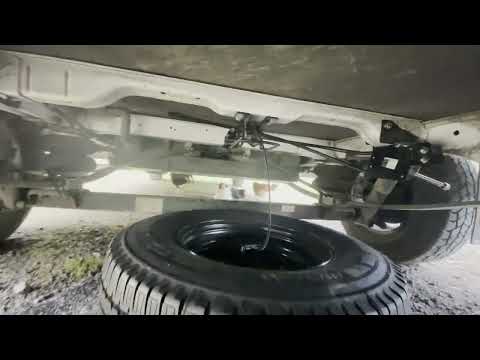
Fiat Ducato
(2014-2026 /
X290)
To install the spare wheel support on a Fiat Ducato, access the lower rear part of the vehicle: here you will need to secure the spare wheel support …

Fiat Ducato
(2014-2026 /
X290)
Fiat Ducato campervans often do not come with a spare wheel, and this object, which many consider bulky and unnecessary, can actually make a differen…
Fiat Ducato
(2006-2014 /
X250)
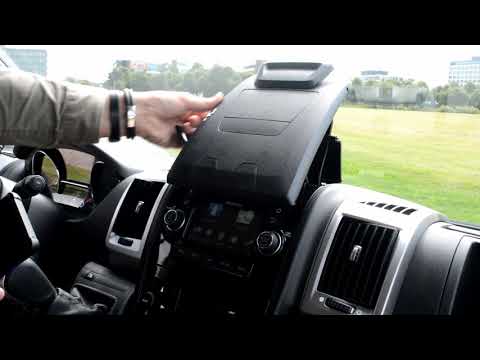
A very useful and versatile accessory for the Fiat Ducato, to be installed on the central console, is this original Fiat tablet holder. According to …
Other guides you may be interested in |
How to Remove the Toll Tag Holder from the Car Windscreen
The toll tag holder is usually attached to the car windscreen to ensure that the toll tag functions immediately when passing through barriers. However, if you decide to remove the holder, you should follow this procedure: - Insert the toll tag into the holder; - Pull the holder inwards to detach it from the windscreen; you can use a glass scraper or a stiff plastic card to assist you; After removing the holder, it is essential to remove the adhesive from the windscreen. To remove the adhesive, we recommend using a solvent-based spray that will remove the glue without clouding the area. by ScegliAuto More videos
|
|
For advertising on this site Write to info@scegliauto.com
ScegliAuto is not responsible for any inaccuracy of the data in the lists. To report any inaccuracy or your business (if you own the business in question), please write to info@scegliauto.com
Number of seconds to generate the page: 0.016
(c) ScegliAuto 2026 - info@scegliauto.com - Privacy policy VAT number: IT01247470535 |
