
|
Do it yourself
| |||
| ||||



Multiecuscan Software to Reset the Service Light on the Fiat Panda 1.2 8V
Model: Fiat Panda
319, MK 3
- Years:
2012, 2013, 2014, 2015, 2016, 2017, 2018, 2019, 2020, 2021, 2022, 2023
This video is currently unavailable
If the Service light comes on in your Fiat Panda, it means that the service is overdue, so you can either consult your trusted mechanic or wait for it to turn off automatically. To reset the Service light, you can also do it yourself if you have the right skills and software. In this regard, a software called MULTIECUSCAN can help, which includes all vehicles from the FIAT group. It is third-party software, meaning that if used incorrectly and damage is caused to your ECU, the manufacturer does not take any responsibility; therefore, you must know how to use it properly to avoid damaging the ECU. The cost of a licence is approximately £50.00, and it can be transferred from PC to PC. For the correct use of this software, you will need the vehicle, a PC, interfaces, and adapters. In addition to diagnosing the ECU, it has many other functions, such as resetting the service light; see the video tutorial.
Updated on 24 April 2026 by ScegliAuto
Related tutorials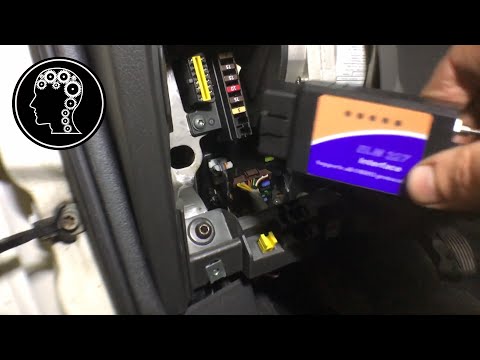
Fiat Panda
(2003-2012 /
169, MK 2)
In today's video, you will reset the service light for the regular oil change maintenance on a Fiat Panda 1.3 MultiJet second series, but this also a…

Fiat Panda
(2012-2026 /
319, MK 3)
As with any maintenance operation on a car, it is necessary to immobilise your Fiat Panda to ensure it is stable and safe to work on, either on a fla…
Fiat Panda
(2012-2026 /
319, MK 3)
In this video, we will see the steps to reset the service light for the regular maintenance oil change on a Fiat Panda, as well as on other models fr…
Other guides you may be interested in |
Frequently Asked QuestionsHow to Remove the Rear Seat of a Hyundai Tucson?
To remove the rear seat of a Hyundai Tucson, follow these steps. Start by moving the front seats to their most forward position to gain space. Next, locate the release lever on the underside of the rear seat, near the floor. Press this lever down while pulling the seat upwards to unlock it from the anchor pins. Once unlocked, tilt the seat upwards and forwards to remove it from its position. Repeat this process for both sides of the rear seat. Be careful of any electrical cables or components that may be connected to the seat during removal. Once the rear seat is removed, the disassembly is complete. by ScegliAuto More videos
|
|
For advertising on this site Write to info@scegliauto.com
ScegliAuto is not responsible for any inaccuracy of the data in the lists. To report any inaccuracy or your business (if you own the business in question), please write to info@scegliauto.com
Number of seconds to generate the page: 0.015
(c) ScegliAuto 2026 - info@scegliauto.com - Privacy policy VAT number: IT01247470535 |
