
|
Do it yourself
| |||
| ||||


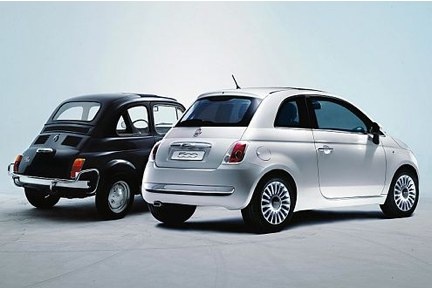
How to Connect Your iPhone to the Blu&Me System
Model: Fiat 500
312
- Years:
2007, 2008, 2009, 2010, 2011, 2012, 2013, 2014, 2015, 2016, 2017, 2018
Video tutorial
Thanks to the introduction of the intelligent Blu&Me system in the new Fiat 500, you can listen to your favourite music tracks from your iPhone directly through the audio system. But how do you connect your smartphone to the system? Let's find out in this mini guide. First, insert the key and turn it to position one to power on the dashboard. Next, turn on the car radio. At this point, locate the voice command button on the left side of the steering wheel (next to the phone button) and press it. Say the word "Pairing". Move to your iPhone and activate Bluetooth, then connect to the Blu&Me system by entering the PIN displayed on the onboard computer. A few moments later, you can take advantage of all the capabilities of this technology. To disconnect the smartphone, simply turn off Bluetooth.
Updated on 8 May 2026 by ScegliAuto
Related tutorials
Fiat 500
(2007-2021 /
312)
In this video tutorial, you can see how to connect an iPhone to a Fiat 500 by following a few simple steps that will guide you towards proper managem…

Fiat 500
(2014-2022 /
500 X)
In this video, you will see how to connect a device to the Bluetooth of a Fiat 500 radio using Apple's Car Play service. Obtain a Lightning USB cable…

Fiat 500
(2007-2024 /
312)
Today, see how to connect the Blue and Me system of a Fiat 500 to your iPhone. To perform this simple operation, turn on the vehicle's instrument pan…
Other guides you may be interested in
|
Frequently Asked QuestionsHow to Remove the Rear Seat of a Hyundai Tucson?
To remove the rear seat of a Hyundai Tucson, follow these steps. Start by moving the front seats to their most forward position to gain space. Next, locate the release lever on the underside of the rear seat, near the floor. Press this lever down while pulling the seat upwards to unlock it from the anchor pins. Once unlocked, tilt the seat upwards and forwards to remove it from its position. Repeat this process for both sides of the rear seat. Be careful of any electrical cables or components that may be connected to the seat during removal. Once the rear seat is removed, the disassembly is complete. by ScegliAuto More videos
|
|
For advertising on this site Write to info@scegliauto.com
ScegliAuto is not responsible for any inaccuracy of the data in the lists. To report any inaccuracy or your business (if you own the business in question), please write to info@scegliauto.com
Number of seconds to generate the page: 0.103
(c) ScegliAuto 2026 - info@scegliauto.com - Privacy policy VAT number: IT01247470535 |
