
|
Do it yourself
| |||
| ||||


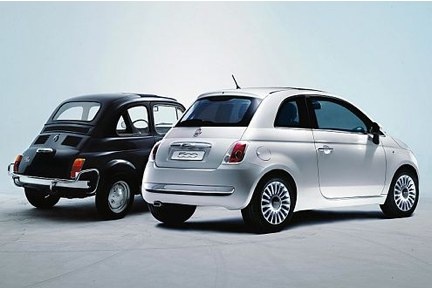
How to Change the Brake Discs and Pads on a Fiat 500
Model: Fiat 500
312
- Years:
2007, 2008, 2009, 2010, 2011, 2012, 2013, 2014, 2015, 2016, 2017, 2018
Video tutorial
To change the brake discs and pads on a Fiat 500, start by opening the bonnet and the brake fluid reservoir. Lift the front of the car and remove the wheels for easier access to the discs. Support it on axle stands; do not rely solely on the jack. Once the wheels are off, place them under the car. Insert a flathead screwdriver between the edge of the disc and the caliper. Use a 12 mm socket to unscrew the two screws holding the disc in place. Remove the screwdriver and turn the disc outward. Insert a screwdriver into the caliper slot, lever it, and pull towards you to release it. Use pliers to remove the lower pin and the bolt that holds the two halves together. Lift the caliper upwards and remove the pads. Use a 17 mm socket to remove the screws from the bracket, which will come off in one piece. Finish removing the bracket screws from the disc and take it off. Clean the hub thoroughly with a wire brush. Then, apply a layer of copper grease around the central screw. Before fitting the new disc, clean it well with brake cleaner to remove storage wax. Place the disc in position and tighten the two screws securely. Now, move on to the caliper. You can refit that as well. Fit the new pads after applying copper grease to the outer side of the new pads. Insert the securing pin at the bottom of the caliper. Refit the wheels and lower the car. Remember to screw back the brake fluid reservoir cap. Start the car and press the pedal to bring the pads closer to the disc.
Updated on 9 June 2026 by ScegliAuto
Related tutorials
Fiat 500
(2007-2024 /
312)
To change the front brake pads on a Fiat 500, start by lifting the front of the car with a jack and ensure it is well supported by axle stands for sa…

Fiat 500
(2007-2021 /
312)
Let's see how to replace the front brake pads on a Fiat 500. Lift the car on a column lift and remove the wheel to access the brake disc. Unscrew the…

Fiat 500
(2007-2021 /
312)
Remove the wheel cover of the affected wheel and loosen the wheel bolts. Lift the car with a jack and secure it safely. Completely unscrew the previo…
Other guides you may be interested in
|
How to open the bonnet on a Volkswagen Golf?
In this tutorial, you will see how to open the bonnet on a Volkswagen Golf MK4. This is a very simple operation that follows the standard procedure. First, open the driver's door, then locate the lever in the lower left area and pull it. Next, move to the front of the vehicle, lift the bonnet slightly, and find the second lever located just above the Volkswagen logo. At this point, simply pull it towards you, fully open the bonnet, and secure it with the prop rod. To close it, gently push it down. by ScegliAuto More videos
|
|
For advertising on this site Write to info@scegliauto.com
ScegliAuto is not responsible for any inaccuracy of the data in the lists. To report any inaccuracy or your business (if you own the business in question), please write to info@scegliauto.com
Number of seconds to generate the page: 0.022
(c) ScegliAuto 2026 - info@scegliauto.com - Privacy policy VAT number: IT01247470535 |
