
|
Do it yourself
| |||
| ||||


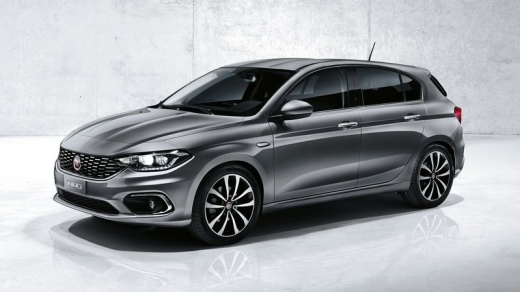
How to Reset Trip Data Type 'B' on a Fiat Tipo
Model: Fiat Tipo
358, 356, 357
- Years:
2016, 2017, 2018, 2019, 2020, 2021, 2022, 2023, 2024, 2025, 2026
Video tutorial
The trip computer allows you to view various parameters related to the vehicle's operating status and features two separate memories, called 'trip A' and 'trip B', where trip data is recorded independently. Both allow the display of the following parameters: - range - instantaneous consumption - distance travelled - average consumption - average speed - travel time. All data can be reset except for the first two. Here's how to do it. Press the top button on the left side of the keyboard, scroll through the menu on the display to 'trip B', and set 'in eight hours', 'in two hours', 'always', or 'never'.
Updated on 26 June 2026 by ScegliAuto
Related tutorials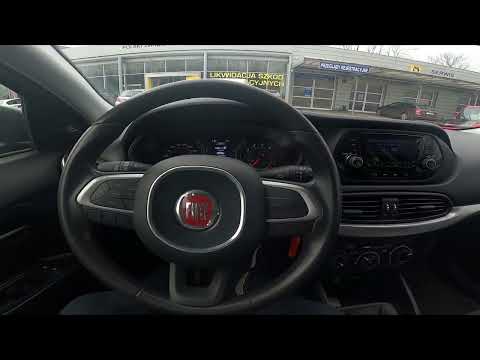
Fiat Tipo
(2016-2026 /
358, 356, 357)
If you are experiencing serious operational issues with the radio in your Fiat Tipo Mk2, you must perform a factory reset to resolve any software err…

Fiat Tipo
(2016-2026 /
358, 356, 357)
To reset the tyre pressure warning light on your Fiat Tipo, start by turning on the ignition without starting the engine. Then, locate the button for…

Fiat Tipo
(2016-2026 /
358, 356, 357)
When the Service light illuminates on the Fiat Tipo display, it indicates that the scheduled service period has been exceeded. The light cannot be re…
Other guides you may be interested in
|
Frequently Asked QuestionsHow to Remove the Toll Tag Holder from the Car Windscreen
The toll tag holder is usually attached to the car windscreen to ensure that the toll tag functions immediately when passing through barriers. However, if you decide to remove the holder, you should follow this procedure: - Insert the toll tag into the holder; - Pull the holder inwards to detach it from the windscreen; you can use a glass scraper or a stiff plastic card to assist you; After removing the holder, it is essential to remove the adhesive from the windscreen. To remove the adhesive, we recommend using a solvent-based spray that will remove the glue without clouding the area. by ScegliAuto More videos
|
|
For advertising on this site Write to info@scegliauto.com
ScegliAuto is not responsible for any inaccuracy of the data in the lists. To report any inaccuracy or your business (if you own the business in question), please write to info@scegliauto.com
Number of seconds to generate the page: 0.069
(c) ScegliAuto 2026 - info@scegliauto.com - Privacy policy VAT number: IT01247470535 |
