
|
Do it yourself
| |||
| ||||


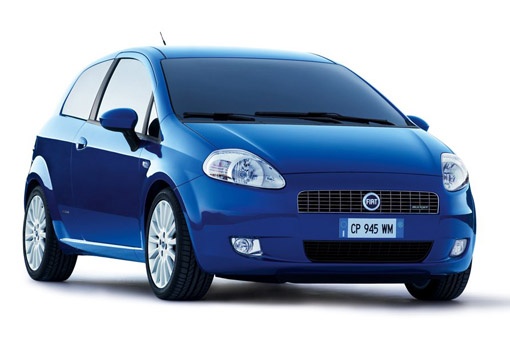
How to Replace the Battery in a Fiat Grande Punto
Model: Fiat Punto
199, MK 3, Grandepunto , Punto EVO
- Years:
2005, 2006, 2007, 2008, 2009, 2010, 2011, 2012, 2013, 2014, 2015, 2016
Video tutorial
The battery in your Fiat Grande Punto is undoubtedly one of the most important components, and its replacement, contrary to what one might think, is particularly simple and accessible to anyone. Once the car is completely turned off and the engine bay has cooled sufficiently, simply disconnect the two terminals and all the various security screws using an appropriate spanner. Then, lift out the old battery and replace it with a new, fully compatible battery. Finally, reconnect the two terminals and re-screw all the various security screws that were removed earlier.
Updated on 30 June 2026 by ScegliAuto
Related tutorials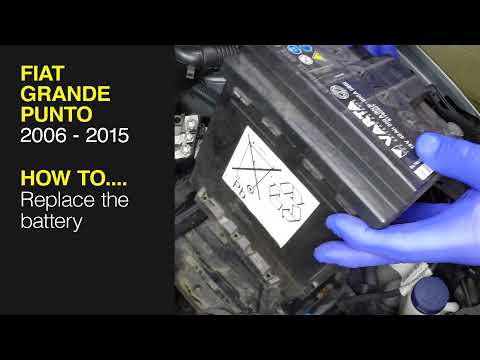
Fiat Punto
(2005-2018 /
199, MK 3, Grandepunto , Punto EVO)
Today's procedure will show you how to remove and replace the battery of the Fiat Grande Punto, as well as the Punto Evo. First, open the bonnet of t…

Fiat Punto
(2005-2018 /
199, MK 3, Grandepunto , Punto EVO)
In this video, you will learn how to replace the battery and battery tray in a Fiat Grande Punto. To start, loosen the negative terminal clamp and di…

Fiat Punto
(2005-2018 /
199, MK 3, Grandepunto , Punto EVO)
In this brief tutorial, you will learn how to change the remote battery of a Fiat Grande Punto. Start the procedure by releasing the ignition key fro…
Other guides you may be interested in
|
How to reset the tyre pressure warning light on the Kia Niro EV?
To reset the tyre pressure warning light on the Kia Niro EV, inflate the tyres until they reach the correct pressure value. This value is indicated on the sticker attached to the driver's door pillar. Once the tyres are inflated, turn on the instrument cluster to check that the warning light has completely disappeared from the display. If it is still present, you may need to drive for a few miles to ensure it disappears completely from the screen. by ScegliAuto More videos
|
|
For advertising on this site Write to info@scegliauto.com
ScegliAuto is not responsible for any inaccuracy of the data in the lists. To report any inaccuracy or your business (if you own the business in question), please write to info@scegliauto.com
Number of seconds to generate the page: 0.059
(c) ScegliAuto 2026 - info@scegliauto.com - Privacy policy VAT number: IT01247470535 |
