
|
Do it yourself
| |||
| ||||


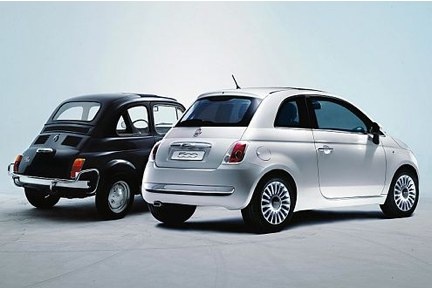
How to Replace the Steering Column on a Fiat 500?
Model: Fiat 500
312
- Years:
2007, 2008, 2009, 2010, 2011, 2012, 2013, 2014, 2015, 2016, 2017, 2018
Video tutorial
In this tutorial, you will see how to replace the steering column on a Fiat 500. This operation is simple but requires careful attention due to the importance of the device. First, ensure the key is not inserted, then position yourself under the dashboard on the driver's side and unscrew the single lower fastening bolt using a 13mm socket. Next, locate the bolt on the opposite end, unscrew it using the same socket, and detach the column from its mounts. At this point, you can position the replacement and tighten both bolts.
Updated on 13 July 2026 by ScegliAuto
Related tutorials
Fiat 500
(2014-2022 /
500 X)
Here are step-by-step instructions on how to remove and replace the steering column or EPS of the Fiat 500 X. First, open the front door and start by…

Fiat 500
(2007-2022 /
)
To replace the steering column on the Fiat 500, first remove the steering wheel. Loosen the two screws at the bottom of the steering wheel to remove …

Fiat 500
(2012-2023 /
500 L)
In this video we see a common problem with Fiat 500: it happens that when steering, the steering wheel stiffens. This is due to the fact that a senso…
Other guides you may be interested in
|
Frequently Asked QuestionsHow to Reset the Tire Pressure Light on a MG ZS?
On the instrument cluster of the MG ZS, the tire pressure light that appears can be reset by inflating the tires to the correct pressure: this value will be indicated on the sticker attached to the driver's door pillar. Once the tires have been properly inflated, you can turn on the instrument cluster and navigate through the menu until you find the option that indicates tire pressure: if this screen shows the new values, the light will turn off; otherwise, you will need to drive for a few miles so that the sensors can read the new values and turn off the light afterward. by ScegliAuto More videos
|
|
For advertising on this site Write to info@scegliauto.com
ScegliAuto is not responsible for any inaccuracy of the data in the lists. To report any inaccuracy or your business (if you own the business in question), please write to info@scegliauto.com
Number of seconds to generate the page: 0.239
(c) ScegliAuto 2026 - info@scegliauto.com - Privacy policy VAT number: IT01247470535 |
