
|
Do it yourself
| |||
| ||||


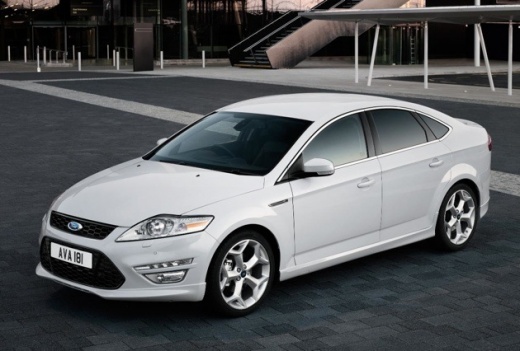
How to Replace the Radio in a Ford Mondeo
Model: Ford Mondeo / Fusion
MK 3
- Years:
2007, 2008, 2009, 2010, 2011, 2012, 2013, 2014
Video tutorial
The first step is to lift the panel at the base of the gear lever using a plastic lever. Then, lift the panel over the cup holders. By releasing the lever indicated in the video, you can also extract the panel around the control column. Next, unscrew the screws that secure the column itself. Lift the two small covers shown in the video to use the special keys to release the stereo. This way, you can disconnect the cables at the back of the stereo and the remaining controls to carry out the necessary replacements.
Updated on 1 March 2026 by ScegliAuto
Related tutorials
Ford Mondeo / Fusion
(2007-2014 /
MK 3)
To reset the radio on a Ford Mondeo, first switch it on by turning the key in the ignition barrel: this will power up the instrument cluster and the …

Ford Mondeo / Fusion
(2014-2021 /
MK 4)
In this guide, you will find the instructions to reset the factory radio on the Ford Mondeo. First, get in the car and turn on the ignition; then tur…
Ford Mondeo / Fusion
(2007-2014 /
MK 3)
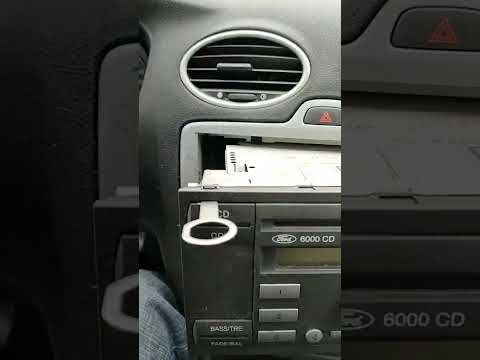
If you own a Ford Mondeo Mk3 (2007-2014) and are wondering how to safely and correctly remove the factory stereo, follow these steps. First, turn off…
Other guides you may be interested in |
How to open the boot if it is stuck on a Mercedes B-Class?
On the Mercedes B-Class, the boot may become stuck, possibly due to a problem with the control button or the lock actuator. In this case, perform the emergency opening by following the simple procedure shown in this tutorial. First, unlock the locks with the remote control, then open the rear doors and, by operating the indicated lever, lower the backrest of the seat. Next, go inside the boot, locate the indicated gap, and manually unlock the lock using a small screwdriver. by ScegliAuto More videos
|
|
For advertising on this site Write to info@scegliauto.com
ScegliAuto is not responsible for any inaccuracy of the data in the lists. To report any inaccuracy or your business (if you own the business in question), please write to info@scegliauto.com
Number of seconds to generate the page: 0.075
(c) ScegliAuto 2026 - info@scegliauto.com - Privacy policy VAT number: IT01247470535 |
