
|
Do it yourself
| |||
| ||||


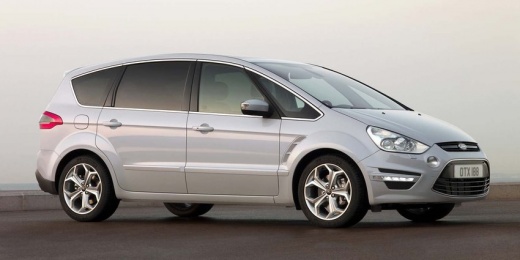
How to Remove and Replace the Water Pump on a Ford S Max
Model: Ford S Max
MK 1
- Years:
2006, 2007, 2008, 2009, 2010, 2011, 2012, 2013, 2014, 2015, 2016
Video tutorial
In this video, learn how to remove and replace the water pump on a Ford S Max. Lift the engine bonnet and secure it; after removing the locking pins from the ventilation pipe, remove the soundproofing panel from the engine bay. Start disassembling the water pump by using a socket wrench on the securing bolts. Once the part is removed from its seat, disconnect the belt. Finally, refit the water pump in the engine bay after cleaning it of any dirt and deposits; we can then reattach the ventilation pipe with the soundproofing panel.
Updated on 7 March 2026 by ScegliAuto
Related tutorials
Ford S Max
(2006-2016 /
MK 1)
How do you remove the timing belt on a Ford S-Max? Lift the car on a column lift or jack (if necessary, remove the front wheel using a screwdriver to…

Ford S Max
(2006-2016 /
MK 1)
The fuel filter on the Ford S Max is located inside the front hood of the vehicle, specifically near the fuel pump and engine. If necessary, the repl…

Ford S Max
(2006-2016 /
MK 1)
Your Ford S Max, like all other vehicles, requires scheduled maintenance, including oil changes, oil filter replacements, timing belt changes with th…
Other guides you may be interested in
|
How to Reset the Tyre Pressure Warning Light on the Jeep Renegade?
To reset the tyre pressure warning light on the Jeep Renegade, inflate the tyres until they reach the recommended pressure: this value is indicated on the sticker attached to the driver’s door pillar. Once the tyres are properly inflated, navigate through the menu that appears on the instrument cluster until you find the tyre pressure option. At this point, press and hold the OK button on the right side of the steering wheel to make the warning light disappear. by ScegliAuto More videos
|
|
For advertising on this site Write to info@scegliauto.com
ScegliAuto is not responsible for any inaccuracy of the data in the lists. To report any inaccuracy or your business (if you own the business in question), please write to info@scegliauto.com
Number of seconds to generate the page: 0.033
(c) ScegliAuto 2026 - info@scegliauto.com - Privacy policy VAT number: IT01247470535 |
