
|
Do it yourself
| |||
| ||||



How to Clear the Unrecognized TPMS Error Code on a Ford C-Max
Model: Ford C Max
MK 2
- Years:
2010, 2011, 2012, 2013, 2014, 2015, 2016, 2017, 2018, 2019
Video tutorial
This procedure can be applied to most Ford models: if the faulty sensor has been replaced and the tyres inflated to the correct pressure, enter "learning" mode by pressing the brake, turning the ignition on, and then off. Repeat this three times, leaving the car on the last time. Press and release the brake. Switch off the car and repeat the on and off cycle three more times; you will hear a "beep" indicating that the vehicle has entered learning mode. With a simple tool that can be obtained for a few pounds, start activating the sensors, beginning with the front left, then front right, rear right, and rear left. After the last wheel, you will hear a final "beep" indicating that the learning procedure is complete.
Posted on 6 July 2026 by ScegliAuto
Related tutorials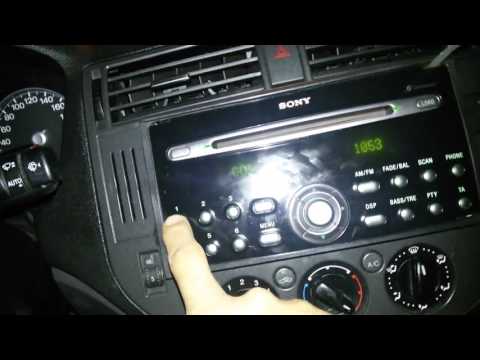
Ford C Max
(2003-2010 /
MK 1)
How to enter the radio code? Here’s how to enter the code after disconnecting the battery or replacing the stereo on a Ford C Max. This is a very sim…

Ford C Max
(2010-2019 /
MK 2)
In the following video tutorial, we will explain how to reset the TPMS warning light related to tire pressure monitoring on the Ford C Max. First, tu…

Ford C Max
(2003-2010 /
MK 1)
A defect that affected the first model of the Ford C-Max I (2003-2010) and secondarily also the II (2010-2019) concerns the ABS/ESP control unit with…
Other guides you may be interested in |
How to Remove the Toll Tag Holder from the Car Windscreen
The toll tag holder is usually attached to the car windscreen to ensure that the toll tag functions immediately when passing through barriers. However, if you decide to remove the holder, you should follow this procedure: - Insert the toll tag into the holder; - Pull the holder inwards to detach it from the windscreen; you can use a glass scraper or a stiff plastic card to assist you; After removing the holder, it is essential to remove the adhesive from the windscreen. To remove the adhesive, we recommend using a solvent-based spray that will remove the glue without clouding the area. by ScegliAuto More videos
|
|
For advertising on this site Write to info@scegliauto.com
ScegliAuto is not responsible for any inaccuracy of the data in the lists. To report any inaccuracy or your business (if you own the business in question), please write to info@scegliauto.com
Number of seconds to generate the page: 0.019
(c) ScegliAuto 2026 - info@scegliauto.com - Privacy policy VAT number: IT01247470535 |
