
|
Do it yourself
| |||
| ||||


How to Replace the Battery in a Ford Transit 6
Model: Ford Transit
MK 6
- Years:
2000, 2001, 2002, 2003, 2004, 2005, 2006
Video tutorial
Today, follow these main instructions to remove and replace the battery in the sixth series Ford Transit, in simple and quick steps. First, locate the battery, which is found at the bottom on the front side; then remove the plastic cover to access it. Next, disconnect both battery terminals (positive and negative) by unscrewing the bracket screw to remove it from its seat; now replace it with a new one of the correct type (having the same dimensions and amperage). Finally, reassemble everything!
Updated on 4 May 2026 by ScegliAuto
Related tutorials
Ford Transit
(2014-2024 /
MK 8)
To replace the battery in a Ford Transit, push the front passenger seat fully forward to access the protective panel underneath. Remove this panel to…

Ford Transit
(2014-2024 /
MK 8)
If the key for your Ford Transit Mk8 has stopped working due to a completely dead battery, simply follow the procedure below to replace it with a new…
Ford Transit
(2000-2006 /
MK 6)
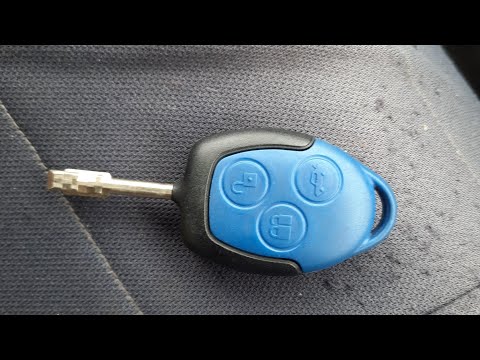
Here are the instructions to disassemble and replace the battery in the key fob for a Ford Transit. First, take your key and pry open the side slot t…
Other guides you may be interested in
|
Frequently Asked QuestionsHow to Remove the Toll Tag Holder from the Car Windscreen
The toll tag holder is usually attached to the car windscreen to ensure that the toll tag functions immediately when passing through barriers. However, if you decide to remove the holder, you should follow this procedure: - Insert the toll tag into the holder; - Pull the holder inwards to detach it from the windscreen; you can use a glass scraper or a stiff plastic card to assist you; After removing the holder, it is essential to remove the adhesive from the windscreen. To remove the adhesive, we recommend using a solvent-based spray that will remove the glue without clouding the area. by ScegliAuto More videos
|
|
For advertising on this site Write to info@scegliauto.com
ScegliAuto is not responsible for any inaccuracy of the data in the lists. To report any inaccuracy or your business (if you own the business in question), please write to info@scegliauto.com
Number of seconds to generate the page: 0.139
(c) ScegliAuto 2026 - info@scegliauto.com - Privacy policy VAT number: IT01247470535 |
