
|
Do it yourself
| |||
| ||||


Ford Focus Dashboard Settings
Model: Ford Focus
MK 4
- Years 2018-2025
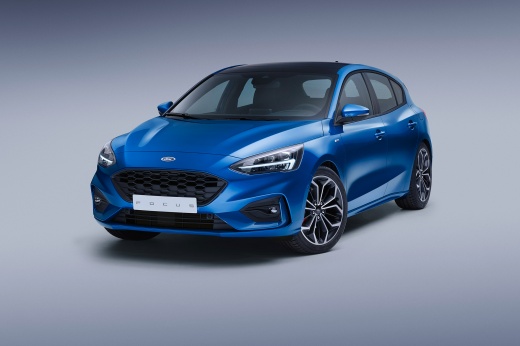
Let’s see how to optimise the settings of your Ford Focus MK4: by clicking the button on the right side of the steering wheel, the first option is the trip computer, resetting values, configuring the type of display, with various titles (use the left arrow to exit). We have configured Computer 1, which shows the miles per litre, miles travelled, miles remaining until refuelling, and instant consumption. If you click the left button, you can scroll through the speed options (customised in this case with the Ford performance label). By going to the right button, you can choose the different screens to display. For 'eco driving', if you accelerate, it shows the consumption. Additionally, there is assisted driving with hazard detection ahead; it also indicates that there are currently no audio sources available; no connected phones; then we have the vehicle settings. By clicking the right button, you access the information submenu where various options can be found. In the display submenu, you can find options like language, unit of measurement (km or miles), temperature (Celsius or Fahrenheit), and tyre pressure measurement units. In Assisted Driving, you find the BLIS (Blind Spot Information System on the wing mirrors), collision avoidance assistant, road sign recognition, and lane keeping. All these options have their own submenus to customise your driving modes.
Updated on 10 August 2026 by ScegliAuto
Video tutorial
Related tutorials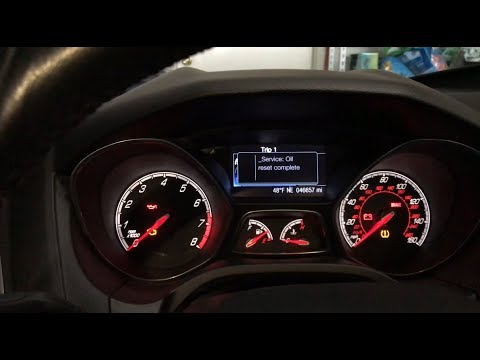
Ford Focus
(2011-2018 /
MK 3)
How to reset settings on a Ford Focus? Reset the settings using the instrument cluster ignition. Turn on the ignition with the dedicated key, press t…

Ford Focus
(2018-2025 /
MK 4)
After changing the motor oil, it is necessary to reset the maintenance reminder that appears on the instrument panel; let's see the reset procedure o…
Ford Focus
(2004-2011 /
MK 2, Focus 2)
How to remove the instrument cluster from a Ford Focus? Let’s see how to remove the piece in the video. Lower the steering wheel to access the securi…
Other guides you may be interested in
|
Frequently Asked QuestionsHow to Open the Bonnet on the Lancia Y
To open the bonnet on this vehicle, follow these simple instructions: first, open the driver's door and locate the lever positioned just below the dashboard, marked with an image of the vehicle with the bonnet open. Pull this lever towards you until you hear a "click" indicating the bonnet is released. Next, exit the cabin and stand in front of the bonnet to disengage the safety catch and complete the opening. To do this, slightly lift the bonnet, locate the yellow lever underneath, and pull it to the left to fully release and open the bonnet. by ScegliAuto More videos
|
|
For advertising on this site Write to info@scegliauto.com
ScegliAuto is not responsible for any inaccuracy of the data in the lists. To report any inaccuracy or your business (if you own the business in question), please write to info@scegliauto.com
Number of seconds to generate the page: 0.943
(c) ScegliAuto 2026 - info@scegliauto.com - Privacy policy VAT number: IT01247470535 |
