
|
Do it yourself
| |||
| ||||


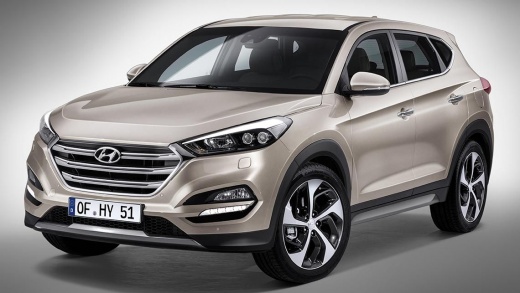
How to Fix the Black Screen Issue on Hyundai Tucson
Model: Hyundai Tucson
MK 3, TL
- Years:
2015, 2016, 2017, 2018, 2019, 2020, 2021
Video tutorial
A common problem on the Hyundai Tucson is the multimedia screen suddenly going black and stopping functioning. To reset it, there are several methods. The first is a manual reset: turn off the engine with the driver's door open to put the vehicle in "accessory mode". Press and hold the "power" button on the multimedia system for 15 seconds until the system restarts. Alternatively, you can disconnect the negative battery terminal for 10 minutes. Otherwise, locate the dedicated fuse and replace it if blown. If the screen is black but the system works (i.e., audio is heard), a firmware update may be needed. If none of this works, the issue may be a fault with the main unit or a screen cable.
Posted on 15 March 2026 by ScegliAuto
Related tutorials
Hyundai Tucson
(2015-2021 /
MK 3, TL)
There is a great convenience for the driver of the Hyundai Tucson, which is to have, among the many warning lights available, also the one for tire p…

Hyundai Tucson
(2022-2026 /
NX4, MK 4)
To perform a soft reset of the display on your 2025 Hyundai Tucson, you will need a paperclip, a piece of wire, or anything else thin enough to be us…

Hyundai Tucson
(2015-2021 /
MK 3, TL)
The tire pressure monitoring system (TPMS) indicator that signals a problem with tire inflation pressure is now present on all recently built vehicle…
Other guides you may be interested in
|
How to reset the tyre pressure warning light on the Kia Niro EV?
To reset the tyre pressure warning light on the Kia Niro EV, inflate the tyres until they reach the correct pressure value. This value is indicated on the sticker attached to the driver's door pillar. Once the tyres are inflated, turn on the instrument cluster to check that the warning light has completely disappeared from the display. If it is still present, you may need to drive for a few miles to ensure it disappears completely from the screen. by ScegliAuto More videos
|
|
For advertising on this site Write to info@scegliauto.com
ScegliAuto is not responsible for any inaccuracy of the data in the lists. To report any inaccuracy or your business (if you own the business in question), please write to info@scegliauto.com
Number of seconds to generate the page: 0.057
(c) ScegliAuto 2026 - info@scegliauto.com - Privacy policy VAT number: IT01247470535 |
