
|
Do it yourself
| |||
| ||||


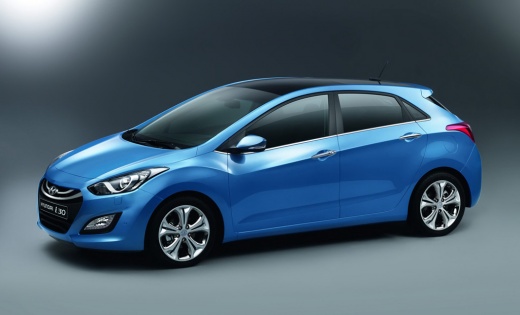
2DIN Essgoo Car Radio with 9" Screen for Hyundai I30 2012/2016
Model: Hyundai I30
GD, MK 2
- Years:
2011, 2012, 2013, 2014, 2015, 2016
This video is currently unavailable
This 2DIN car radio is available on AliExpress under code 1005008221090380 for £105.69, with free delivery in 7 days. It is a very popular device, complete with a fascia for the climate control buttons. The operating system is Android 14 and it is compatible with both Android Auto and Apple CarPlay, both via cable. It has integrated connectivity: GPS; Wi-Fi; Bluetooth; special features include Steering Wheel Control, meaning compatibility with the car's original steering wheel controls, and mirror link, allowing you to duplicate your smartphone's screen onto the car radio's screen. With this device, you bring your I30 up to the level of modern cars; integrate your smartphone; it is very affordable, plug & play; retains original functions through SWC compatibility. However, there are also potential drawbacks to consider: ESSGOO is a brand that may not provide customer support on par with well-known major brands; even though it has Android 14, it does not specify which processor, RAM, and internal memory are installed, so it may not have the same fluidity as better devices; it is not guaranteed to receive future updates; and the sound quality may not be the best.
Posted on 17 April 2026 by ScegliAuto
Related tutorials
Hyundai I30
(2011-2016 /
GD, MK 2)
To connect your smartphone to the Bluetooth radio in a Hyundai i30, start by turning on the instrument cluster and activating the connection via the …

Hyundai I30
(2016-2024 /
MK 3, PD)
The video guide presented here is aimed at all recently built Hyundai brand cars, so we can consider it valid also for the Hyundai i30. We learn how …
Hyundai I30
(2007-2012 /
MK 1, FD)
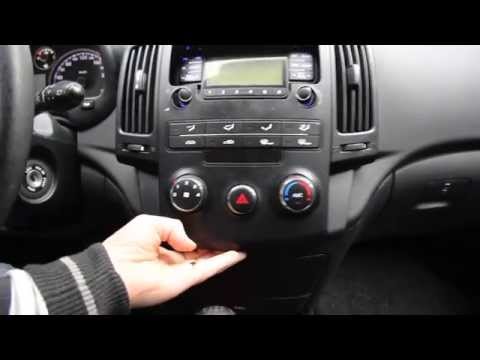
Replace the radio in the Hyundai I30 if you want to change it or if it is damaged. Remove the trim around the stereo using a plastic lever (where the…
Other guides you may be interested in
|
How to reset the tyre pressure warning light on the Kia Niro EV?
To reset the tyre pressure warning light on the Kia Niro EV, inflate the tyres until they reach the correct pressure value. This value is indicated on the sticker attached to the driver's door pillar. Once the tyres are inflated, turn on the instrument cluster to check that the warning light has completely disappeared from the display. If it is still present, you may need to drive for a few miles to ensure it disappears completely from the screen. by ScegliAuto More videos
|
|
For advertising on this site Write to info@scegliauto.com
ScegliAuto is not responsible for any inaccuracy of the data in the lists. To report any inaccuracy or your business (if you own the business in question), please write to info@scegliauto.com
Number of seconds to generate the page: 0.121
(c) ScegliAuto 2026 - info@scegliauto.com - Privacy policy VAT number: IT01247470535 |
