
|
Do it yourself
| |||
| ||||



How the Fuel Filter Primer Pump Works on the Hyundai i30
Model: Hyundai I30
GD, MK 2
- Years:
2011, 2012, 2013, 2014, 2015, 2016
Video tutorial
The correct term is "manual fuel pump" and it is a black rubber bulb located on the fuel filter, which has two main functions: to bleed air from the circuit after replacing the fuel filter; to facilitate starting if the car has been stationary for a long time, or if we have run out of fuel. The pump is used to pre-prime the system, avoiding stressing the high-pressure pump and making it easier to restart the engine. On the Hyundai i30, the fuel filter (and therefore the pump) is located on the right side of the engine block, near the windscreen. It is a metal cylinder with two or more inlet and outlet pipes. The pump is a manual diaphragm pump, and pressing it moves a diaphragm inside that creates a vacuum, which draws fuel from the tank through the filter, filling it.
Posted on 14 July 2026 by ScegliAuto
Related tutorials
Hyundai I30
(2016-2024 /
MK 3, PD)
This tutorial shows you how to replace the diesel filter on a Hyundai i30, third generation model with a 1.6 CRDi engine. First, remove the airbox ho…

Hyundai I30
(2016-2024 /
MK 3, PD)
Replacing the engine air filter in your latest Hyundai i30 is very simple, and by following the steps in this guide, you can complete the task in jus…
Hyundai I30
(2016-2024 /
MK 3, PD)
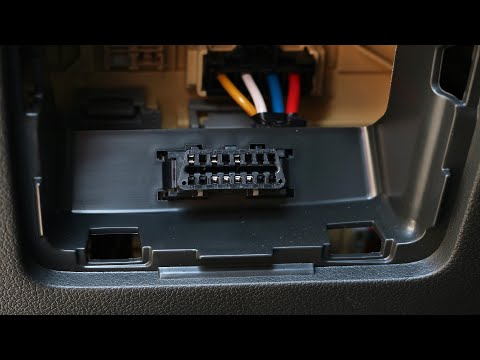
If you own a 2021 Hyundai i30 and want to find the OBD port to connect a professional diagnostic tool, read the following instructions carefully and …
Other guides you may be interested in
|
How to Set the Date and Time on the Iveco Daily
Today, we will see in this video tutorial how to change the date and time on the Iveco Daily. First, get into the vehicle and turn on the instrument panel; then go to the vehicle settings on the central display, pressing the relevant option for date and time. At this point, press the "set" button located at the top, using the physical arrow buttons to set both the date and time; finally, exit the onboard computer menu to save the changes made! by ScegliAuto More videos
|
|
For advertising on this site Write to info@scegliauto.com
ScegliAuto is not responsible for any inaccuracy of the data in the lists. To report any inaccuracy or your business (if you own the business in question), please write to info@scegliauto.com
Number of seconds to generate the page: 0.032
(c) ScegliAuto 2026 - info@scegliauto.com - Privacy policy VAT number: IT01247470535 |
