
|
Do it yourself
| |||
| ||||


How to replace the remote key battery in a Hyundai i10
Model: Hyundai I10
AI3, AC3
- Years 2019-2026
To replace the battery in the remote key of a Hyundai i10, press the unlock button to extract the mechanical key from the remote. Then locate the small slot along the edge of the casing and insert the tip of a small flat screwdriver. Gently twist to separate the two halves of the casing without damaging the clips. Once the remote is open, locate the button cell battery and note its polarity before removing it. Remove the old battery and insert a new one of the same type, generally CR2032, ensuring the orientation matches the markings in the housing. Reassemble the two parts of the remote and press around the perimeter until fully secured.
Posted on 1 September 2026 by ScegliAuto
Video tutorial
Related tutorials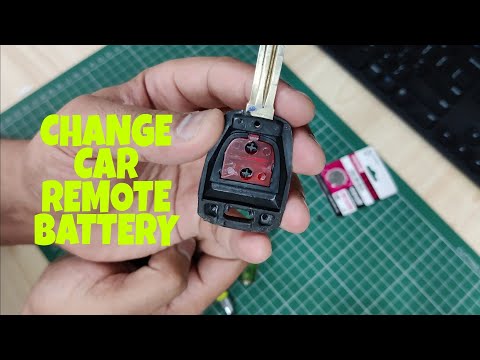
Hyundai I10
(2013-2020 /
IA, MK 2)
To replace the battery in the Hyundai I10 remote, loosen the screw located on the back of the device, just below the key. Once the screw is loosened,…

Hyundai I10
(2007-2013 /
PA, MK 1)
Is the Hyundai i10 key battery dead? Here's how to replace the battery. Take your remote and unscrew the tightening screw with a screwdriver, pry bet…

Hyundai I10
(2013-2020 /
IA, MK 2)
Following these brief steps, we will see how to disassemble and replace the key shell of the Hyundai I10, as well as the I20. First, take our remote …
Other guides you may be interested in
|
How to reset the tyre pressure warning light on the Dacia Sandero?
To reset the tyre pressure warning light on the Dacia Sandero, inflate all the tyres to the pressure indicated on the label on the driver's door. Once the tyres are inflated, turn on the ignition and navigate through the menu using the controls on the right side of the steering wheel. Scroll with the arrows to find the tyre pressure option: by holding down the OK button located on the right side of the steering wheel, you can reset the warning light. by ScegliAuto More videos
|
|
For advertising on this site Write to info@scegliauto.com
ScegliAuto is not responsible for any inaccuracy of the data in the lists. To report any inaccuracy or your business (if you own the business in question), please write to info@scegliauto.com
Number of seconds to generate the page: 0.156
(c) ScegliAuto 2026 - info@scegliauto.com - Privacy policy VAT number: IT01247470535 |
