
|
Do it yourself
| |||
| ||||



How to Replace the Clutch Cable on the Hyundai I10 MK1
Model: Hyundai I10
- Years:
2007, 2008, 2009, 2010, 2011, 2012, 2013
Video tutorial
On the Hyundai I10 MK1, to replace the clutch cable, the correct part is 41510-0X911, available on eBay under code 960008425289 for £38.97 with free delivery. Before starting, check the pedal support: it is a known weak point that can crack due to stress from a faulty cable. If damaged, it should be repaired or replaced before fitting the new cable. Disconnect the battery. Fully loosen the adjustment nut on the gearbox side to relieve tension. Detach the cable from the pedal (inside the cabin) and from the clutch lever (in the engine bay). Unscrew the nut and bolt that secure the cable bracket to the gearbox and remove the old cable. Install the new cable following the same route, avoiding any sharp bends. Reconnect the gearbox side first, then the pedal. For adjustment, the free play at the pedal should be 10-15 mm before feeling resistance. On the gearbox side, the lever play should be 2-3 mm. Tighten the adjustment nut. Test the clutch: press the pedal several times and ensure the gears engage smoothly. A cable that is too tight can cause the clutch to slip; too loose can prevent full disengagement.
Posted on 19 November 2026 by ScegliAuto
Related tutorials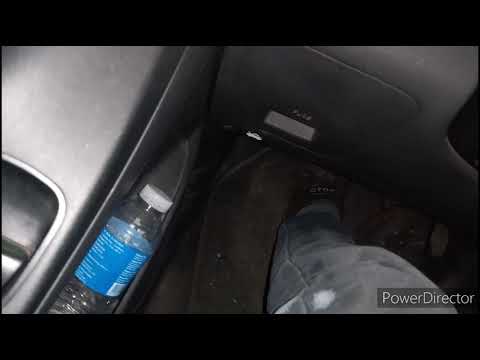
Hyundai I10
(2007-2013 /
PA, MK 1)
Below are the main instructions that will allow you to adjust the clutch cable on the Hyundai I10. First, open the bonnet of the vehicle and start lo…

Hyundai I10
(2007-2013 /
PA, MK 1)
Below are the main steps that will allow you to remove and replace the clutch cable of the Hyundai i10, following these simple instructions. First, o…

Hyundai I10
(2007-2013 /
PA, MK 1)
In today's video, you will see the steps to disassemble and replace the clutch cable on a first series Hyundai i10. First, get inside the vehicle and…
ScegliAuto offers an extensive international collection of automotive tutorials available in 12 languages. Each guide combines instructional videos with original explanations written by experienced human editors, along with information about the car models covered.
Other guides you may be interested in
|
How to turn on the fog lights in Volkswagen Polo cars?
If you don't know how to turn on the fog lights of a Volkswagen Polo and are looking for a video tutorial, this is the right opportunity to learn. This is a video with verbal commentary, aimed at Volkswagen cars in general, brief but very clear to understand, as it gets straight to the point and explains everything simply. After turning on the instrument cluster, first turn on the dipped headlights and then move the selector to the fog light symbol. To activate the rear fog lights, pull the same selector back. This is all you need to do, nothing more. by ScegliAuto More videos
|
|
For advertising on this site Write to info@scegliauto.com
ScegliAuto is not responsible for any inaccuracy of the data in the lists. To report any inaccuracy or your business (if you own the business in question), please write to info@scegliauto.com
Number of seconds to generate the page: 0.133
(c) ScegliAuto 2026 - info@scegliauto.com - Privacy policy - About us VAT number: IT01247470535 |
