
|
Do it yourself
| |||
| ||||


How to Replace the Timing Belt on the Hyundai Tucson
Model: Hyundai Tucson
MK 2, LM
- Years:
2010, 2011, 2012, 2013, 2014, 2015
Video tutorial
To replace the timing belt on this car model, follow the general instructions below as this task is quite complex. First, remove the right front wheel, then take off the upper timing belt protection cover. Unscrew the engine mount bolts, then proceed to remove the crankshaft pulley. Next, remove the lower protection cover and position the pins on the camshaft and crankshaft to ensure the engine timing is maintained. Then, loosen the tensioner to extract the belt.
Updated on 22 July 2026 by ScegliAuto
Related tutorials
Hyundai Tucson
(2004-2009 /
JM, MK 1)
In this video, follow the step-by-step instructions to remove and replace the timing belt on a Hyundai Tucson 2.0 CRDI, first series. First, lift the…

Hyundai Tucson
(2004-2009 /
JM, MK 1)
In this video tutorial, learn how to remove and replace the power steering pump on the first series Hyundai Tucson, following the instructions below.…
Hyundai Tucson
(2015-2021 /
MK 3, TL)
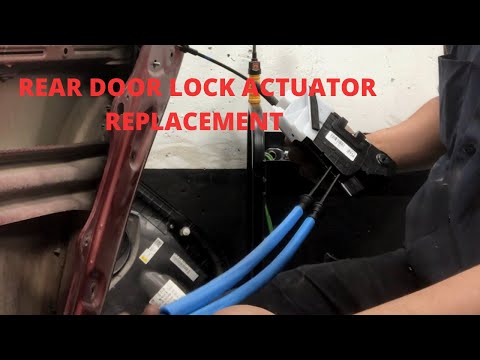
To replace the rear door lock actuator on a Hyundai Tucson, remove the door panel by loosening the screw located in the armrest and disconnecting the…
Other guides you may be interested in
|
Where is the Reset Button for the Tyre Light on a Hyundai Ix35?
The instrument cluster of the Hyundai Ix35 is equipped with a tyre light that illuminates to alert the driver of low pressure in one or more tyres. In addition to simply having a flat tyre, there could also be a puncture or a malfunction of the monitoring sensor. Once the nature of the problem is determined and resolved, you can quickly reset the tyre light by pressing the button depicting a flat tyre, located on the left side of the steering wheel, for a few seconds, waiting for the warning to turn off on the instrument cluster. by ScegliAuto More videos
|
|
For advertising on this site Write to info@scegliauto.com
ScegliAuto is not responsible for any inaccuracy of the data in the lists. To report any inaccuracy or your business (if you own the business in question), please write to info@scegliauto.com
Number of seconds to generate the page: 0.112
(c) ScegliAuto 2026 - info@scegliauto.com - Privacy policy VAT number: IT01247470535 |
