
|
Do it yourself
| |||
| ||||


Jeep Commander - Video guides Jeep Commander (2005-2010 / MK 1)
How to Replace the Air Filter on the Jeep Commander The following video tutorial shows how to independently replace the air filter on the Jeep Commander. The air filter box is located under the front bonnet, …Read all… Posted on 1 July 2026 by ScegliAuto  Jeep Commander (2005-2010 / MK 1)
Where is the OBD2 port located in the Jeep Commander? If you own a Jeep Commander and are curious about the location of the OBD2 port, all you need to do is follow the steps outlined in the following guide. First …Read all… Posted on 25 November 2025 by ScegliAuto  Jeep Commander (2005-2010 / MK 1)
How do you reset the Service light on the Jeep Commander? In order to reset the Service light of the Jeep Commander, you need to insert the ignition key into the slot, so that you can turn on the instrument panel: …Read all… Posted on 8 March 2025 by ScegliAuto  Jeep Commander (2005-2010 / MK 1)
Fuse Box Diagram for a Jeep Commander Thanks to this video, we can see all the diagrams of the two fuse boxes inside a Jeep Commander, a model produced from 2005 to 2010. The video precisely shows …Read all… Posted on 19 October 2026 by ScegliAuto 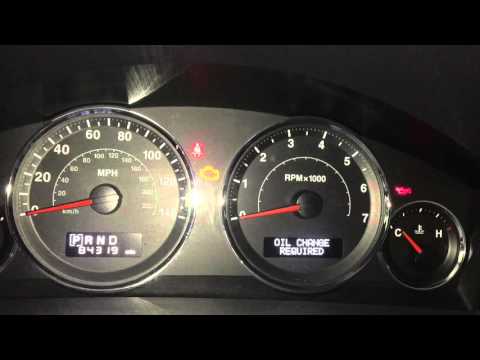 Jeep Commander (2005-2010 / MK 1)
Resetting the Service Light on Jeep Commander In this brief video tutorial, you will learn how to reset the service light, specifically the oil change light, on a Jeep Commander, model produced from 2005 …Read all… Posted on 20 September 2026 by ScegliAuto  Jeep Commander (2005-2010 / MK 1)
Replacing the Mirror Cover on a Jeep Commander Detach the mirror glass using a plastic lever, then open the door and start removing the panel by unscrewing the three bolts that secure it: one is near the …Read all… Posted on 22 June 2026 by ScegliAuto 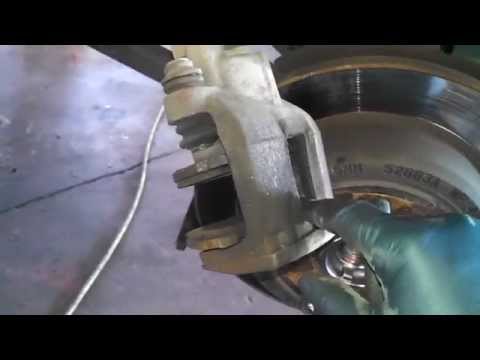 Jeep Commander (2005-2010 / MK 1)
Replacing Rear Discs and Pads Lift the vehicle on a hydraulic ramp and remove the rear wheel. Before unscrewing the brake caliper mounting bolts, lever between the disc and pads to retract …Read all… Posted on 17 February 2026 by ScegliAuto
Checks and maintenance (1)
Air filter (1)
Brake pads (1)
Fuse box (1)
Side mirror (1)
Service warning light (2)
|
See also:How to Open the Fuel Filler Flap in the Hyundai i30?
In this tutorial, you will learn how to open the fuel filler flap in the Hyundai i30, a very simple operation that follows the typical procedure of most vehicles. First, unlock the locks using the designated button on the remote, then open the driver's door, locate the release lever on the left side of the seat, and operate it. Next, move to the fuel filler flap, open it completely, unscrew the cap, and refuel as needed. To close the flap, simply press it gently. by ScegliAuto More videos
|
|
For advertising on this site Write to info@scegliauto.com
ScegliAuto is not responsible for any inaccuracy of the data in the lists. To report any inaccuracy or your business (if you own the business in question), please write to info@scegliauto.com
Number of seconds to generate the page: 0.267
(c) ScegliAuto 2026 - info@scegliauto.com - Privacy policy VAT number: IT01247470535 |
