
|
Do it yourself
| |||
| ||||



How to replace the battery of the Land Rover Discovery key remote control
Model: Land Rover Discovery
MK 4, LR4, Discovery 4
- Years:
2010, 2011, 2012, 2013, 2014, 2015, 2016
Video tutorial
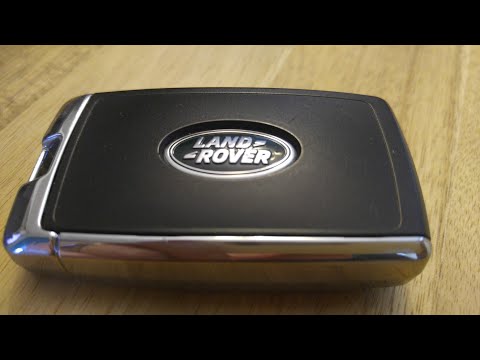
The following steps will show us the procedure for disassembling and replacing the battery of the key remote for the Land Rover Discovery. First, we take our remote and start by removing the physical key; then we pry open the slot created to open the remote casing in two parts, accessing the electronic board and the battery, as shown in the video. At this point, we install the new battery, of the correct type (in this case a CR 2032 3V); insert it in the correct direction and finally reassemble the remote, checking its functionality.
Posted on 13 December 2024 by ScegliAuto
Related tutorials
Land Rover Discovery
(2017-2024 /
L462, MK 5, Discovery 5)
The steps to replace the battery of the Land Rover Discovery remote control are: - remove the side metal cover of the remote control; - remove the em…
Land Rover Discovery
(2017-2024 /
L462, MK 5, Discovery 5)
Today, you will learn how to disassemble and replace the battery in the remote key for various Land Rover models from 2018 to 2020, specifically a Di…

Land Rover Discovery
(2010-2016 /
MK 4, LR4, Discovery 4)
If the remote control of your Land Rover Discovery Sport suddenly stops working and you want to change the battery inside it, just follow the steps d…
Other guides you may be interested in
|
How to reset the tyre pressure warning light on the Kia Niro EV?
To reset the tyre pressure warning light on the Kia Niro EV, inflate the tyres until they reach the correct pressure value. This value is indicated on the sticker attached to the driver's door pillar. Once the tyres are inflated, turn on the instrument cluster to check that the warning light has completely disappeared from the display. If it is still present, you may need to drive for a few miles to ensure it disappears completely from the screen. by ScegliAuto More videos
|
|
For advertising on this site Write to info@scegliauto.com
ScegliAuto is not responsible for any inaccuracy of the data in the lists. To report any inaccuracy or your business (if you own the business in question), please write to info@scegliauto.com
Number of seconds to generate the page: 0.108
(c) ScegliAuto 2026 - info@scegliauto.com - Privacy policy VAT number: IT01247470535 |
