
|
Do it yourself
| |||
| ||||


How to Adjust the Handbrake on Discovery
Model: Land Rover Discovery
MK 2, Discovery 2, L318
- Years 1998-2004
Do you want to remove the cover of the handbrake lever on a Land Rover Discovery? Let's see how to adjust the handbrake: using a plastic lever, remove the switch panel next to the leather handbrake, cut the strap that tightens the plastic part. Next, unscrew the retaining nuts from the center tunnel under the handbrake lever using a socket wrench or screwdriver with a bit. Once the handbrake lever is free, adjust the lever itself by loosening or tightening the pins. Finally, reassemble the cover (switch panel) and all associated parts in reverse order.
Updated on 7 March 2026 by ScegliAuto
Video tutorial
Related tutorials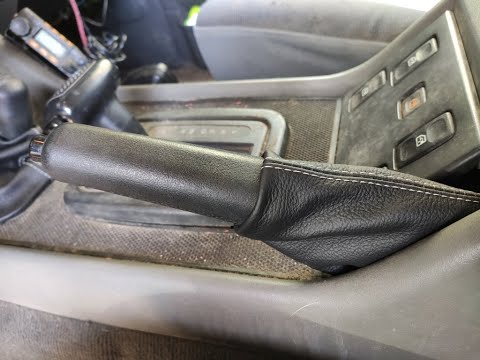
Land Rover Discovery
(1998-2004 /
MK 2, Discovery 2, L318)
In this short and simple video, you will learn how to remove and replace the handbrake boot on the first-generation Land Rover Freelander, following …
Land Rover Discovery
(2010-2016 /
Discovery 4, MK 4, LR4)
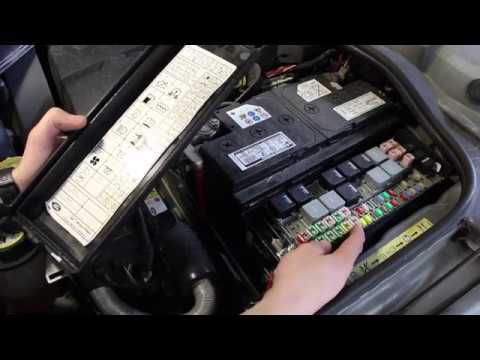
To disable the electronic parking brake of the Land Rover Discovery, you need to open the hood of the vehicle to access the underlying components. Ne…

Land Rover Discovery
(2010-2016 /
Discovery 4, MK 4, LR4)
Let's see how to reset the service light on a Land Rover Discovery: sit in the driver's seat and make sure the handbrake is engaged. Do not press the…
Other guides you may be interested in
|
Fuses Location and Diagram for the Volkswagen Crafter
In this guide, we will look at the location of the fuse boxes and how to find their diagram for the Volkswagen Crafter. First, get inside the vehicle and start by removing the plastic cover found under the steering wheel, to access the internal fuse box; you will find another fuse box in the engine compartment by removing the plastic cover located next to the battery. At this point, use the owner's manual to find the fuse diagram, which will allow you to identify and replace any blown fuses with new ones! by ScegliAuto More videos
|
|
For advertising on this site Write to info@scegliauto.com
ScegliAuto is not responsible for any inaccuracy of the data in the lists. To report any inaccuracy or your business (if you own the business in question), please write to info@scegliauto.com
Number of seconds to generate the page: 0.092
(c) ScegliAuto 2026 - info@scegliauto.com - Privacy policy VAT number: IT01247470535 |
