
|
Do it yourself
| |||
| ||||


Mazda Mx 5 - SpeakerSpeaker Mazda Mx 5 (2005-2015 / mk 3, nc) Mazda Mx 5 (2005-2015 / MK 3, NC)
Removing Front Speaker This video shows how to remove the front speaker located in the door panel. First, use the appropriate tool to remove the two covers, one above the handle and …Read all… Posted on 16 February 2026 by ScegliAuto 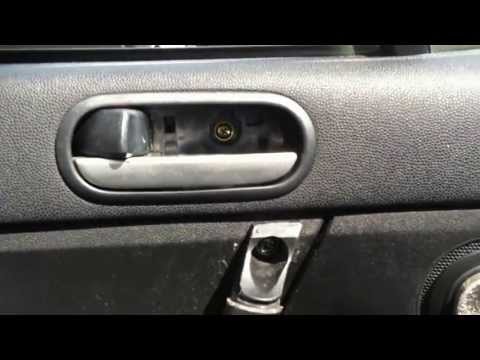 Mazda Mx 5 (2005-2015 / MK 3, NC)
Replacement of Front Speakers Lower the door window and remove the screw located in the handle opening area. Unscrew the various screws located on the sides. Use a plastic tool to pry …Read all… Posted on 12 February 2026 by ScegliAuto Speaker (2) Car stereo (8) Battery (1) Control arm (2) Spark plugs (1) Convertible top (1) Body (4) Key (7) Timing belt (2) V-belt (1) Checks and maintenance (7) Brake rotors (1) Headlight (2) Tail light (1) Air filter (2) Oil filter (1) Fuel injectors (1) Accessory kit (4) Light bulb (1) Headlight bulb (1) Engine (3) Power window motor (1) Starter motor (1) Engine oil (1) Clock (4) Front bumper (1) Brake pads (1) Tires (1) Shift knob (1) Radiator (1) Fuse box (6) Seat (2) Brake system (1) Warning light – error code (1) Tire pressure warning light (3) Service warning light (8) Fuel cap (1) Cylinder head (2) Steering wheel (2) |
How to Reset the Tyre Pressure Warning Light on a Kia Ceed
This brief and simple guide will show you how to reset the tyre pressure warning light (TPMS) on a Kia Ceed. Before performing the reset, ensure all four tyres are at the correct operating pressure. Get inside the vehicle and turn on the ignition. Locate the reset button on the dashboard, next to the steering wheel, as shown in the video. Press and hold the TPMS reset button until the warning light blinks on the dashboard and then goes out completely! by ScegliAuto More videos
|
|
For advertising on this site Write to info@scegliauto.com
ScegliAuto is not responsible for any inaccuracy of the data in the lists. To report any inaccuracy or your business (if you own the business in question), please write to info@scegliauto.com
Number of seconds to generate the page: 0.008
(c) ScegliAuto 2026 - info@scegliauto.com - Privacy policy VAT number: IT01247470535 |
