
|
Do it yourself
| |||
| ||||


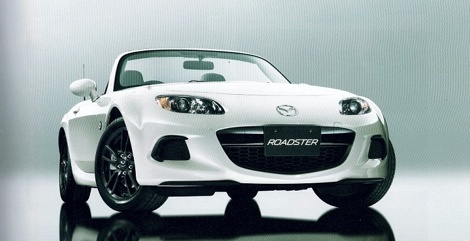
Removing Front Speaker
Model: Mazda Mx 5
NC, MK 3
- Years:
2005, 2006, 2007, 2008, 2009, 2010, 2011, 2012, 2013, 2014, 2015
Video tutorial
This video shows how to remove the front speaker located in the door panel. First, use the appropriate tool to remove the two covers, one above the handle and the other on the door opening lever. Once the covers are off, unscrew the screws underneath and the other screws located in the cup holder. After this, start removing the panel which is held in place by clips; once removed, you will see the speaker. To extract it, simply remove the 4 screws and disconnect the rear connector; the tweeter is held in place by clips, so disconnect the connector and lever it out.
Updated on 10 February 2026 by ScegliAuto
Related tutorials
Mazda Mx 5
(1998-2005 /
NB, MK 2)
Removing the car stereo is not difficult; it just requires a bit of patience and a screwdriver, as shown in the following guide. The screwdriver can …

Mazda Mx 5
(1998-2005 /
NB, MK 2)
Removing the subframe is a complex operation as many mechanical parts must be disassembled. Remove the radiator feed pipe and block the coolant flow …

Mazda Mx 5
(1998-2005 /
NB, MK 2)
Lift the vehicle on a hydraulic lift or suitable ramps to facilitate access underneath the vehicle; the splash shield is secured to the bodywork with…
Other guides you may be interested in
|
How to Reset the Tyre Pressure Warning Light on the Jeep Renegade?
To reset the tyre pressure warning light on the Jeep Renegade, inflate the tyres until they reach the recommended pressure: this value is indicated on the sticker attached to the driver’s door pillar. Once the tyres are properly inflated, navigate through the menu that appears on the instrument cluster until you find the tyre pressure option. At this point, press and hold the OK button on the right side of the steering wheel to make the warning light disappear. by ScegliAuto More videos
|
|
For advertising on this site Write to info@scegliauto.com
ScegliAuto is not responsible for any inaccuracy of the data in the lists. To report any inaccuracy or your business (if you own the business in question), please write to info@scegliauto.com
Number of seconds to generate the page: 0.171
(c) ScegliAuto 2026 - info@scegliauto.com - Privacy policy VAT number: IT01247470535 |
