
|
Do it yourself
| |||
| ||||


Video tutorial
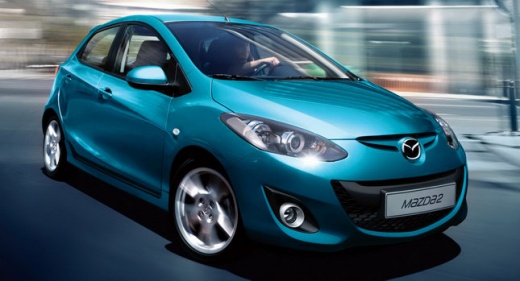
Today we will see how to replace the battery of the remote control of a Mazda 2 vehicle. To perform the replacement, we need to get a CR 16 20 model battery that can be purchased online at auto parts stores. We insert a flat-tip screwdriver into the side line of the remote control in order to open it in two parts and proceed with the battery replacement. After inserting the battery, we assemble the remote control and insert the metal key inside. Stand in front of the vehicle to test the operation of the remote control, if there are continuous problems it is necessary to reprogram the remote control.
Posted on 16 September 2025 by ScegliAuto
Related tutorials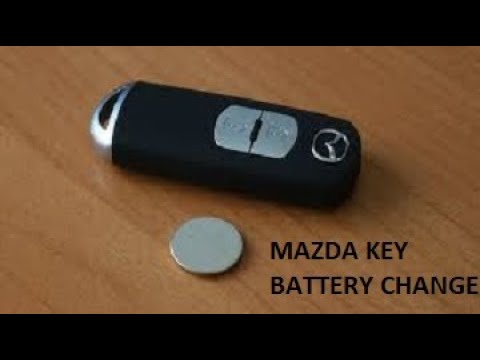
Mazda 2
(2007-2014 /
MK 2, DH, DE)
To replace the battery in the remote control for the Mazda 2, use a thin object as a lever to separate the two halves of the device: this will allow …

Mazda 2
(2014-2023 /
DJ, MK 3)
The battery of the remote control that opens the doors of the Mazda 2, over time, runs out and needs to be replaced. To do this, let's equip ourselve…

Mazda 2
(2007-2014 /
MK 2, DH, DE)
In this tutorial we can see how to replace the battery of the Mazda 2 remote control, an extremely simple and fast operation. To do this, we will nee…
Other guides you may be interested in
|
How to Reset the AdBlue Warning Light on a Peugeot Boxer
To reset the AdBlue system on a 2018 Peugeot Boxer, follow these steps: Start the engine and ensure the vehicle is parked in a well-ventilated area. Locate the "MENU" button on the dashboard or steering wheel controls. Press and hold the "MENU" button until the menu options appear on the display. Use the arrow buttons or scroll wheel to access the "Vehicle Settings" or "Settings" menu. Select the "AdBlue" or "AdBlue System" option. Look for the "Recharge" or "Reset" option in the AdBlue menu. Once you find the reset option, select it and confirm your choice when prompted. The system will be reset, and a confirmation message may appear on the display. Turn off the engine and wait a few seconds. Restart the engine and check that the AdBlue system has been reset. by ScegliAuto More videos
|
|
For advertising on this site Write to info@scegliauto.com
ScegliAuto is not responsible for any inaccuracy of the data in the lists. To report any inaccuracy or your business (if you own the business in question), please write to info@scegliauto.com
Number of seconds to generate the page: 0.118
(c) ScegliAuto 2026 - info@scegliauto.com - Privacy policy VAT number: IT01247470535 |
