
|
Do it yourself
| |||
| ||||


How to Program New Remotes for Mazda 2 (and Reprogram Old Ones)
To program new remotes on a Mazda 2 (and reprogram old ones), the procedure is simple and divided into two phases: first the remotes, then the keys. Remotes: open the door, insert the key and turn it three times to the end without starting, then turn back three times within 10 seconds. Close and open the door three times: the car responds (you will hear a signal). At this point, for each remote, press the lock button twice. Remove the key: the remotes are programmed. Immobiliser chip: if the chip is separate, open it by inserting something into the hole before the "Made in China" label, remove the battery, unscrew the rear screw. Insert the chip into the designated space with the corner up and the thick part towards the key (do not glue it, so it can be changed). Key programming: with Forscan (extended license required) and ELM327 adapter, connect to the vehicle, go to "Instrument Cluster" / "PATs programming". If you have only one working key, use Forscan to program the new one, then delete all keys and reprogram them. Alternatively, without a PC: if you have at least two valid keys, insert key 1 to ON, wait for the security light to go out (about 3 seconds), turn to LOCK within 4 seconds and remove. Repeat with key 2. Insert key 3 and remove it: it is programmed.
Posted on 25 September 2026 by ScegliAuto
Video tutorial
Related tutorials
Mazda 2
(2007-2014 /
DE, MK 2, DH)
In this tutorial we can see how to program a remote control in the Mazda 2, an extremely simple and quick operation. To do this, we will need a funct…

Mazda 2
(2007-2014 /
DE, MK 2, DH)
In this tutorial we can see how to program a new remote control in the Mazda 2, an extremely simple and fast operation. To do this, we will obviously…

Mazda 2
(2007-2014 /
DE, MK 2, DH)
Reprogramming the key of a Mazda 2 after replacing the car battery is a simple and quick operation to perform independently. To reprogram the key, we…
Other guides you may be interested in
|
How to Remove the Headrests from a Fiat Panda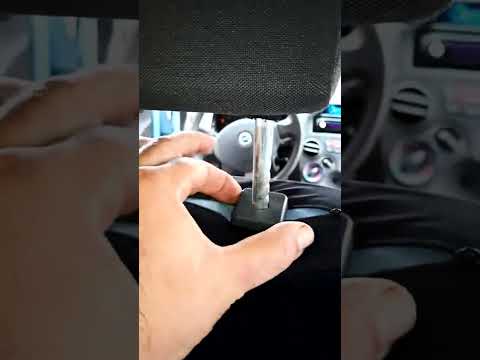
Below are the instructions to remove the headrests, both front and rear, from the Fiat Panda. First, get inside the vehicle and press and hold the side button located at the base of the headrest. Then, while holding the button, pull the headrest upwards to remove it, as shown in the video. At this point, perform the same operation on the other headrests. Now, simply insert them back in while holding the button, and finally adjust the height of all the headrests! by ScegliAuto More videos
|

|
For advertising on this site Write to info@scegliauto.com
ScegliAuto is not responsible for any inaccuracy of the data in the lists. To report any inaccuracy or your business (if you own the business in question), please write to info@scegliauto.com
Number of seconds to generate the page: 0.230
(c) ScegliAuto 2026 - info@scegliauto.com - Privacy policy VAT number: IT01247470535 |
