
|
Do it yourself
| |||
| ||||


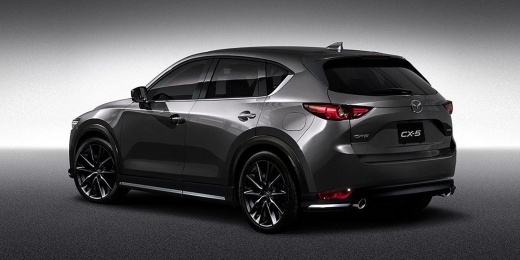
How to Reset the Service Light on Mazda CX-5
Model: Mazda CX-5
MK 2
- Years:
2017, 2018, 2019, 2020, 2021, 2022, 2023, 2024
Video tutorial
To reset the service light on the Mazda CX-5, use the buttons near the gear lever, turn on the instrument cluster without starting the engine. Locate the buttons and the dial near the gear lever and use them to navigate the menu on the dashboard display until you find the Maintenance/Vehicle Settings section. Select the option related to the maintenance interval and choose Reset. Hold the confirmation button until the display indicates that the reset is complete. On some models, you may need to confirm a second time with OK. Once the procedure is complete, turn off the ignition, turn it back on, and check that the service light has indeed disappeared.
Posted on 27 March 2026 by ScegliAuto
Related tutorials
Mazda CX-5
(2017-2024 /
MK 2)
Learn how to reset the service light on the Mazda CX5: turn on the ignition and use the rotary control button to navigate through the multimedia scre…
Mazda CX-5
(2012-2017 /
MK 1, KE)
Through this video, you can learn how to reset the service light on a Mazda CX-5. To make the various selections, use only the knob located on the ce…

Mazda CX-5
(2017-2024 /
MK 2)
To manually reset the service light on your Mazda CX-5 (2023 model), follow the steps described below in the correct order to complete the operation …
Other guides you may be interested in
|
How to lower the rear seats in the Peugeot 206?
In this tutorial, you will see how to lower the rear seats in the Peugeot 206, a very simple and quick operation, for example, if you need more space in the boot. First, open both the doors and the tailgate, then unclip the seat base and position it vertically. Next, remove the horizontal partition, locate the release levers at the ends of both seatbacks, and, by operating them, lower the seatbacks. To reassemble everything, simply follow the reverse procedure. by ScegliAuto More videos
|
|
For advertising on this site Write to info@scegliauto.com
ScegliAuto is not responsible for any inaccuracy of the data in the lists. To report any inaccuracy or your business (if you own the business in question), please write to info@scegliauto.com
Number of seconds to generate the page: 0.030
(c) ScegliAuto 2026 - info@scegliauto.com - Privacy policy VAT number: IT01247470535 |
