
|
Do it yourself
| |||
| ||||



How to Install Fog Lights on a Mazda 2 (2007/2010)
Model: Mazda 2
MK 2, DE, DH
- Years:
2007, 2008, 2009, 2010, 2011, 2012, 2013, 2014
Video tutorial
To install the front fog lights on a Mazda 2 (2007-2010, pre-facelift bumper), you will need TYC lights, identifiable by the codes: 19-0870-11-2 for the left and 19-0869-11-2 for the right, both using H11 bulbs. The procedure involves removing the front bumper (2 bolts at the top, 6 screws underneath, 4 upper clips), removing the circular plastic covers, and screwing in the fog lights from the inside. For the stalk: remove the upper cover of the steering column (clip-on), turn the steering wheel 90° to access the side screws of the lower half, disconnect the stalk connector, pry the tab with a flat screwdriver, and pull it upwards. Insert the new stalk with the button, reconnect, and close it. The Mazda 2 is often pre-wired: the connectors for the fog lights are already prepared behind the bumper. Connect them, test the lights with the new stalk, then reassemble the bumper and covers.
Posted on 5 October 2026 by ScegliAuto
Related tutorials
Mazda 2
(2007-2014 /
MK 2, DE, DH)
All fuses in the Mazda 2 are divided between two fuse boxes located within the vehicle: this model has one box inside the cabin and another in the en…

Mazda 2
(2014-2023 /
DJ, MK 3)
In this video tutorial, you will learn how to remove and replace the number plate lights of the third series Mazda 2 by following these simple and qu…

Mazda 2
(2007-2014 /
MK 2, DE, DH)
Start by pressing and holding the button on the back of the key fob for your Mazda 2, then extract the physical emergency key. Next, using a thin but…
ScegliAuto offers an extensive international collection of automotive tutorials available in 12 languages. Each guide combines instructional videos with original explanations written by experienced human editors, along with information about the car models covered.
Other guides you may be interested in
|
How to Reset the Tyre Pressure Light on the Hyundai i20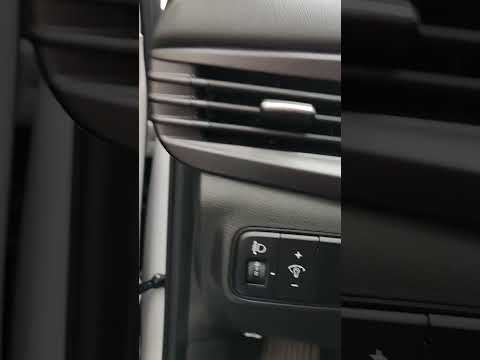
These brief instructions will show you how to reset the tyre pressure monitoring system (TPMS) light on the Hyundai i20. Before performing the reset, ensure that all four tyres are at the correct operating pressure. Then, get inside the cabin and turn on the ignition. Now, press and hold the TPMS reset button located on the left side of the driver's seat until the tyre pressure light resets on the instrument panel, as shown in the video. At this point, turn off the ignition and start the engine to complete the process! by ScegliAuto More videos
|
|
For advertising on this site Write to info@scegliauto.com
ScegliAuto is not responsible for any inaccuracy of the data in the lists. To report any inaccuracy or your business (if you own the business in question), please write to info@scegliauto.com
Number of seconds to generate the page: 0.030
(c) ScegliAuto 2026 - info@scegliauto.com - Privacy policy - About us VAT number: IT01247470535 |
