
|
Do it yourself
| |||
| ||||


How to Reset the Maintenance Light on the Mazda CX-5
Model: Mazda CX-5
MK 1, KE
- Years 2012-2017
If you want to postpone the routine maintenance of your vehicle and eliminate the corresponding warning light from the dashboard display, you need to perform a simple and quick manual reset procedure. First, turn on the ignition and the central display. Click on the "Applications" icon and select the "Maintenance" option. Enter "Scheduled" and finally press "Reset". Confirm the operation when prompted, and shortly after, the maintenance light reset procedure for your 2016 Mazda CX-5 will be successfully completed. If you make a mistake, don’t worry; just turn off the car, restart it, and begin the procedure again.
Updated on 8 May 2026 by ScegliAuto
Video tutorial
Related tutorials
Mazda CX-5
(2012-2017 /
MK 1, KE)
Below you will find the description of the steps to follow in order to manually reset the maintenance light that remains on the instrument panel of y…

Mazda CX-5
(2017-2024 /
MK 2)
To reset the "Service" light on a Mazda CX-5, turn on the dashboard without starting the engine. Use the dial located on the center console to naviga…

Mazda CX-5
(2017-2024 /
MK 2)
To reset the "Service" light on a Mazda CX-5, turn on the dashboard by pressing the "Start" button without starting the engine. Access the onboard co…
Other guides you may be interested in
|
How to Open the Fuel Cap of the Volkswagen Jetta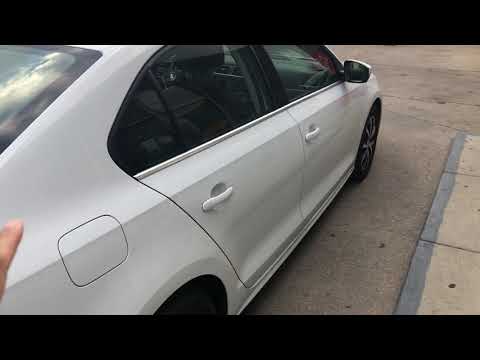
When you need to refuel this vehicle, first open the fuel filler flap. Follow these simple instructions, and you can also watch the video for more details. First, unlock the central locking to open the flaps. Then, press the fuel cap with your hand to unlock it and open it. Underneath, you will find the fuel cap, which you need to unscrew counterclockwise. At this point, you can proceed to refuel. by ScegliAuto More videos
|

|
For advertising on this site Write to info@scegliauto.com
ScegliAuto is not responsible for any inaccuracy of the data in the lists. To report any inaccuracy or your business (if you own the business in question), please write to info@scegliauto.com
Number of seconds to generate the page: 0.143
(c) ScegliAuto 2026 - info@scegliauto.com - Privacy policy VAT number: IT01247470535 |
