
|
Do it yourself
| |||
| ||||


How to remove the radio from the Mazda Bt50.
Model: Mazda Bt 50
UR, UP
- Years 2011-2023
If we want to proceed to dismantle and possibly replace with another model, the car radio of our vehicle, in the description that is reported below we will find all the indications of the various necessary steps to correctly carry out the disassembly. After sitting in the driver's seat, proceed to lever with a pointed object such as a plastic lever to remove the panel where the air conditioner controls are located. Then, always with the plastic lever, proceed to release the radio door panel located in the center of the dashboard. In this way, we can extract the radio, being careful to then disconnect all the electrical connections located behind it.
Posted on 23 May 2023 by ScegliAuto
This video is currently unavailable
Related tutorials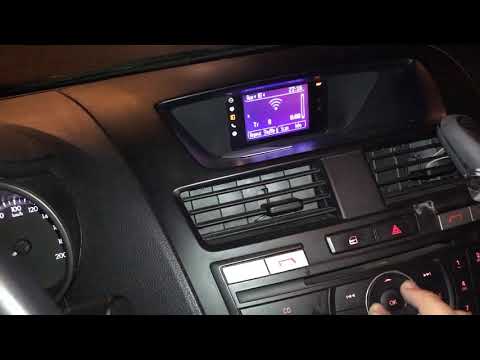
Mazda Bt 50
(2011-2023 /
UR, UP)
In this video, we see how it is possible to change the language setting on the Mazda BT50 car radio: we will use the two buttons/wheels located on th…
Mazda Bt 50
(2011-2023 /
UR, UP)
If you notice the maintenance warning light on the dashboard of your Mazda BT50 continues to come on even after having carried out the relative coupo…

Mazda Bt 50
(2011-2023 /
UR, UP)
In this video, we will see how to reset the service light on the Mazda BT-50 pick-up truck. The same procedure is also valid for the Ford Ranger, whi…
Other guides you may be interested in
|
Removing the Door Panel on a BMW Z3
Remove the front left door panel on a BMW Z3. Use a screwdriver to remove the trim around the upper door handle. Take out the switch panel from the door panel (disconnect the connector), unscrew the remaining screws on the door panel, and detach the retaining clips. Finally, pull the panel away by hand and disconnect it from the door (disconnect the power wiring and the opening cable if present on the model). Perform the desired maintenance inside the door. Refit the panel after maintenance. by ScegliAuto More videos
|
|
For advertising on this site Write to info@scegliauto.com
ScegliAuto is not responsible for any inaccuracy of the data in the lists. To report any inaccuracy or your business (if you own the business in question), please write to info@scegliauto.com
Number of seconds to generate the page: 0.054
(c) ScegliAuto 2026 - info@scegliauto.com - Privacy policy VAT number: IT01247470535 |
