
|
Do it yourself
| |||
| ||||


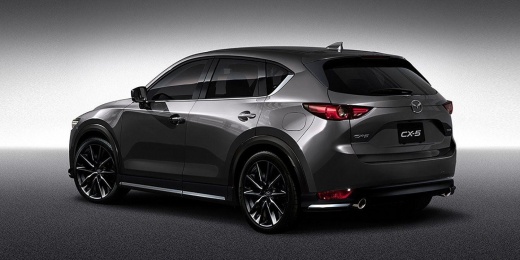
How to Reset the Service Light on the Mazda CX-5?
Model: Mazda CX-5
MK 2
- Years:
2017, 2018, 2019, 2020, 2021, 2022, 2023, 2024
Video tutorial
To reset the Service light on the Mazda CX-5, turn on the instrument cluster to access the menu on the central display of the dashboard. Navigate through the options using the controls on the centre console. Once you select the settings option, you will find the one indicating the kilometres remaining until the next service and oil change. By selecting both, you can perform the reset, clearing the warning light and resetting the maintenance intervals.
Updated on 25 August 2026 by ScegliAuto
Related tutorials
Mazda CX-5
(2012-2017 /
MK 1, KE)
To reset the Service light on the instrument panel of the Mazda CX-5, connect a diagnostic tool to the vehicle's OBD port, which is located on the da…

Mazda CX-5
(2012-2017 /
MK 1, KE)
The routine maintenance of the 2012 Mazda CX-5 occurs, like any other vehicle, when the mentioned service light comes on. Consult the user manual to …

Mazda CX-5
(2017-2024 /
MK 2)
The procedure illustrated in this video for resetting the service light on the 2023 Mazda CX-5 is also valid for all vehicles of the same model desig…
Other guides you may be interested in
|
How to Remove the Toll Tag Holder from the Car Windscreen
The toll tag holder is usually attached to the car windscreen to ensure that the toll tag functions immediately when passing through barriers. However, if you decide to remove the holder, you should follow this procedure: - Insert the toll tag into the holder; - Pull the holder inwards to detach it from the windscreen; you can use a glass scraper or a stiff plastic card to assist you; After removing the holder, it is essential to remove the adhesive from the windscreen. To remove the adhesive, we recommend using a solvent-based spray that will remove the glue without clouding the area. by ScegliAuto More videos
|
|
For advertising on this site Write to info@scegliauto.com
ScegliAuto is not responsible for any inaccuracy of the data in the lists. To report any inaccuracy or your business (if you own the business in question), please write to info@scegliauto.com
Number of seconds to generate the page: 0.021
(c) ScegliAuto 2026 - info@scegliauto.com - Privacy policy VAT number: IT01247470535 |
