
|
Do it yourself
| |||
| ||||


How do you change the battery of the Mercedes Sprinter key?
Model: Mercedes Sprinter
MK 2, W906
- Years:
2006, 2007, 2008, 2009, 2010, 2011, 2012, 2013, 2014, 2015, 2016, 2017
Video tutorial
Suddenly the key of our Mercedes Sprinter stops working? Calm down, it may not be broken and need to be repaired or even replaced, probably, as often happens, the battery is discharged, so it needs to be replaced. In our video guide, it is fully shown how to proceed: The emergency key is extracted from the shell and used to lever it on the last one to open it, then gently act on the battery housing, freeing it and leaving space to insert the new one. Once everything is closed, a test is carried out by opening and closing the central locking of the vehicle.
Posted on 11 December 2024 by ScegliAuto
Related tutorials
Mercedes Sprinter
(1995-2006 /
MK 1, W901)
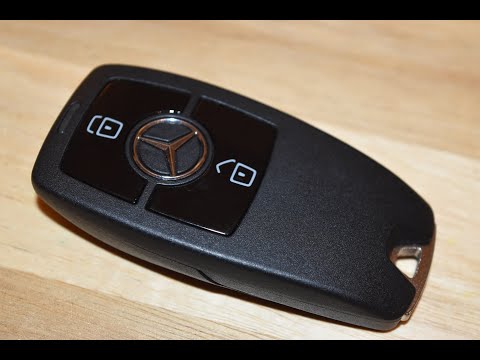
One of the simplest operations that you can do independently as owners of a first-generation Mercedes Sprinter is definitely the replacement of the s…
Mercedes Sprinter
(2006-2018 /
MK 2, W906)
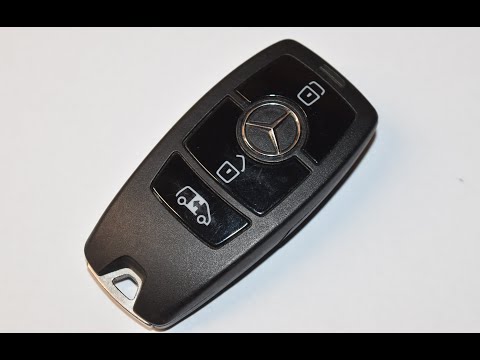
Today, you will see instructions on how to remove and replace the battery of the remote key for the second-generation Mercedes Sprinter in simple and…
Mercedes Sprinter
(2018-2026 /
Br907, Br910, MK 3)
Follow the steps in this mini guide to replace the battery inside your Mercedes Sprinter MK3 key (2018-2020) easily and safely. First, ensure you hav…
Other guides you may be interested in
|
How to reset the tyre pressure warning light on the Kia Niro EV?
To reset the tyre pressure warning light on the Kia Niro EV, inflate the tyres until they reach the correct pressure value. This value is indicated on the sticker attached to the driver's door pillar. Once the tyres are inflated, turn on the instrument cluster to check that the warning light has completely disappeared from the display. If it is still present, you may need to drive for a few miles to ensure it disappears completely from the screen. by ScegliAuto More videos
|
|
For advertising on this site Write to info@scegliauto.com
ScegliAuto is not responsible for any inaccuracy of the data in the lists. To report any inaccuracy or your business (if you own the business in question), please write to info@scegliauto.com
Number of seconds to generate the page: 0.112
(c) ScegliAuto 2026 - info@scegliauto.com - Privacy policy VAT number: IT01247470535 |
