
|
Do it yourself
| |||
| ||||


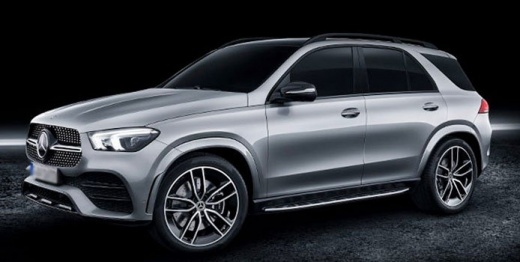
How to Lift the Wipers on a Mercedes GLE to Change the Blades
Model: Mercedes Gle
V167
- Years:
2019, 2020, 2021, 2022, 2023, 2024, 2025, 2026
Video tutorial
Let's see how to lift the wipers on a Mercedes GLE (and newer Mercedes models) to change or clean them. It's not enough to just pull the wipers on a Mercedes; they need to be brought to maintenance position, which is vertical. They remain hidden under the hood when at rest, so a special mode needs to be activated. Turn on the ignition, then turn it off immediately, and hold the windshield washer button (the one that activates the water spray and wipers) for about 3 seconds. This will automatically lift the wipers and position them vertically, ready to be replaced. To return them to the normal position, simply turn on the ignition and they will return to their place by themselves.
Posted on 22 March 2026 by ScegliAuto
Related tutorials
Mercedes Gle
(2019-2026 /
V167)
To replace the wiper blades on a Mercedes GLE 450 like the one in the video (but applicable to most modern Mercedes), put the wipers in service posit…

Mercedes Gle
(2015-2019 /
C292)
In order to replace the battery of the Mercedes GLE, you will need to push the front passenger seat all the way forward: this will allow you to lift …

Mercedes Gle
(2019-2026 /
V167)
In this article, you will learn how to change the dashboard language of a Mercedes GLE. This procedure requires no tools and takes less than 1 minute…
Other guides you may be interested in |
How to reset the tyre pressure warning light on the Kia Niro EV?
To reset the tyre pressure warning light on the Kia Niro EV, inflate the tyres until they reach the correct pressure value. This value is indicated on the sticker attached to the driver's door pillar. Once the tyres are inflated, turn on the instrument cluster to check that the warning light has completely disappeared from the display. If it is still present, you may need to drive for a few miles to ensure it disappears completely from the screen. by ScegliAuto More videos
|
|
For advertising on this site Write to info@scegliauto.com
ScegliAuto is not responsible for any inaccuracy of the data in the lists. To report any inaccuracy or your business (if you own the business in question), please write to info@scegliauto.com
Number of seconds to generate the page: 0.017
(c) ScegliAuto 2026 - info@scegliauto.com - Privacy policy VAT number: IT01247470535 |
