
|
Do it yourself
| |||
| ||||


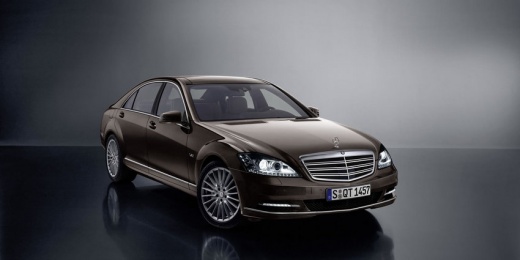
Check and Troubleshoot Faulty Car Radio Components
Model: Mercedes Classe S
W221, MK 5
- Years:
2005, 2006, 2007, 2008, 2009, 2010, 2011, 2012, 2013
Video tutorial
As you may have noticed from the initial images in the video, the problem in this case is the joystick that no longer controls the radio tuner indicator and there is no audio. The various components that make up the car radio group operate via fiber optics and are all located in the trunk. Therefore, the first step is to check which component is not functioning. Once you open the trunk, you will need to remove the carpet to access the components. One by one, disconnect each component and connect a jumper wire in its place to bypass the temporarily disconnected component. After each bypass, always check if the system works to identify the faulty component. Car model: Mercedes Benz S550 Year: 2007
Updated on 11 February 2026 by ScegliAuto
Related tutorials
Mercedes Classe S
(1999-2005 /
MK 4, W220)
Remove the lower part of the center dashboard by unscrewing the two side screws, as shown in the video. Once done, you can pull out the radio trim fr…

Mercedes Classe S
(1991-1998 /
W140, MK 3)
All engines are equipped with a dipstick that allows you to check the engine oil level. At the end of the dipstick, there is a level indicator betwee…

Mercedes Classe S
(1991-1998 /
W140, MK 3)
The suspension arm of a car can become deformed due to an impact or wear over time. If this happens, it is absolutely necessary to replace it, as a d…
Other guides you may be interested in
|
How to reset the tyre pressure warning light on the Kia Niro EV?
To reset the tyre pressure warning light on the Kia Niro EV, inflate the tyres until they reach the correct pressure value. This value is indicated on the sticker attached to the driver's door pillar. Once the tyres are inflated, turn on the instrument cluster to check that the warning light has completely disappeared from the display. If it is still present, you may need to drive for a few miles to ensure it disappears completely from the screen. by ScegliAuto More videos
|
|
For advertising on this site Write to info@scegliauto.com
ScegliAuto is not responsible for any inaccuracy of the data in the lists. To report any inaccuracy or your business (if you own the business in question), please write to info@scegliauto.com
Number of seconds to generate the page: 0.011
(c) ScegliAuto 2026 - info@scegliauto.com - Privacy policy VAT number: IT01247470535 |
